Setting up required certifications
How to record certifications on a worker, set required certifications on a service type, and use auto-fill to speed up the process.
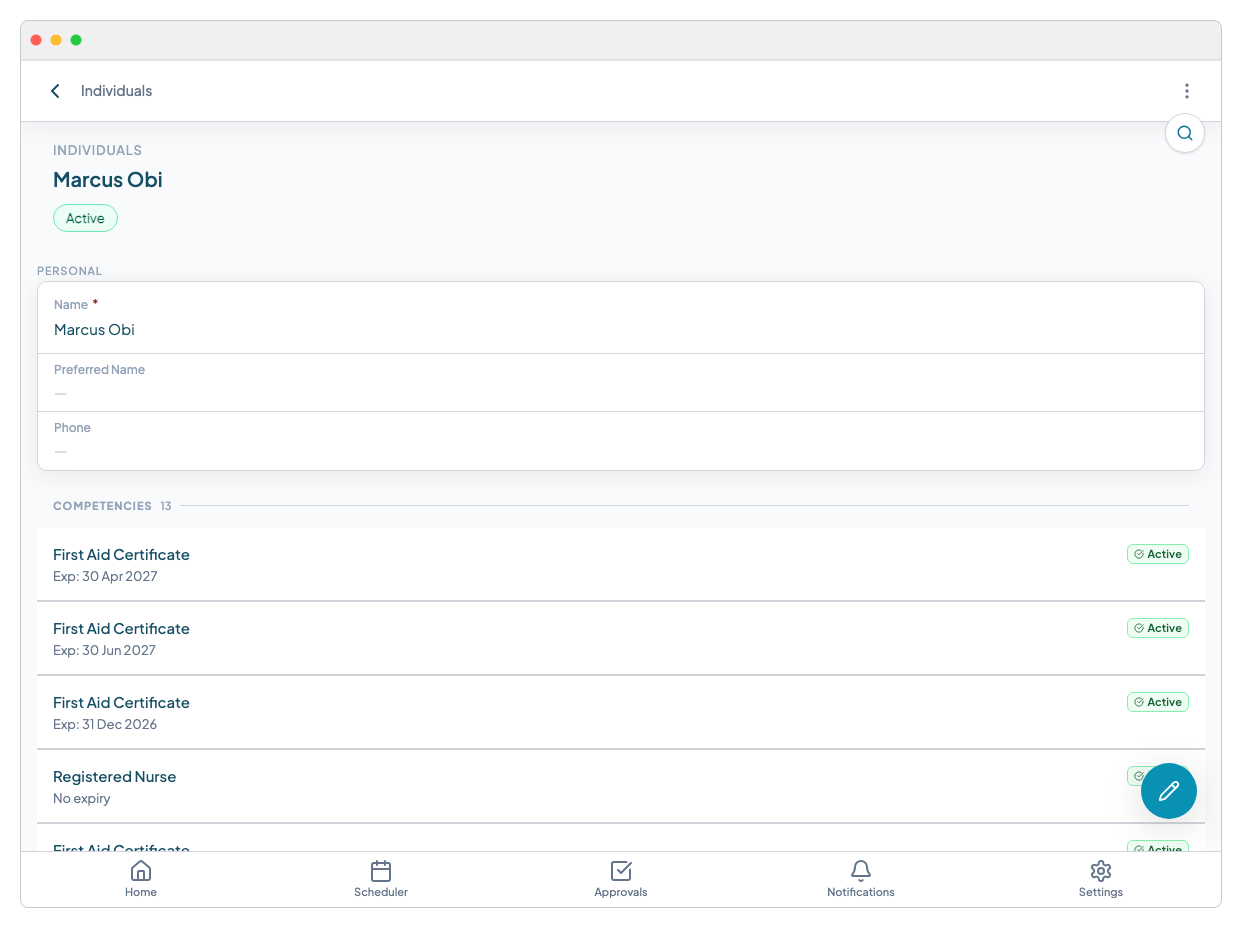
Adding certifications to a worker
Open the worker's record and navigate to the Certifications field. Click "Add certification" and fill in:
- Qualification name — select from your organisation's qualification list, or type to add a new one
- Date obtained — when the worker completed or received the qualification
- Expiry date — leave blank if the qualification does not expire
- Certificate document — attach a scan or photo of the certificate
Save the record. The certification is now active and will be matched against job requirements from this point on.
Setting required certifications on a service type
Service types are the categories of support your organisation delivers — for example, "Personal Care", "Community Access", or "Complex Support". Each can have its own list of required certifications.
To configure this:
- 1.Go to Settings > Service Types (or your equivalent entity configuration)
- 2.Open the service type you want to configure
- 3.Find the Required certifications field
- 4.Add each qualification that workers must hold to deliver this service type
Any worker assigned to a job of this service type will be checked against this list automatically.
Auto-fill from service type
When you create a booking and select a service type, Teiro can auto-fill the required certifications for that booking based on the service type configuration.

This means you don't need to manually specify requirements on every individual job — set them once on the service type and they carry through to all bookings.
If a booking has different requirements from the standard service type — for example, a client with complex needs requiring an additional certification — you can add extra certifications directly on that booking without changing the service type default.
Setting requirements on booking types
Booking types work the same way as service types. If your organisation uses booking types to distinguish between, say, a standard visit and a supported independent living shift, you can set different certification requirements on each.
What happens next
Once required certifications are set, Teiro enforces them during assignment. The assignment panel splits available workers into ELIGIBLE and MISSING QUALIFICATIONS groups so coordinators can see immediately who is cleared to take the job. See Using the assignment panel for details.
Related articles
Worker qualifications and compliance
How Teiro tracks certifications against workers, what happens when a qualification is missing, and how to resolve compliance warnings.
Using the assignment panel
How the smart assignment panel works, what ELIGIBLE and MISSING QUALIFICATIONS mean, and how to assign a worker with an override.
Tracking carer qualifications and certifications
Record and monitor qualifications, certificates, and their expiry dates for every carer.