Worker qualifications and compliance
How Teiro tracks certifications against workers, what happens when a qualification is missing, and how to resolve compliance warnings.
How qualifications work in Teiro
Every worker in Teiro has a certifications field on their record. This is where you store the qualifications they hold — police checks, first aid, NDIS Worker Screening, manual handling, medication administration, and any others relevant to your organisation.
Each certification entry records the qualification name, the date obtained, and the expiry date. You can also attach the certificate document directly to the record.
What triggers a compliance warning
Service types and booking types can each have a list of required certifications. When a worker is assigned to a job, Teiro compares their current certifications against the requirements for that service type.
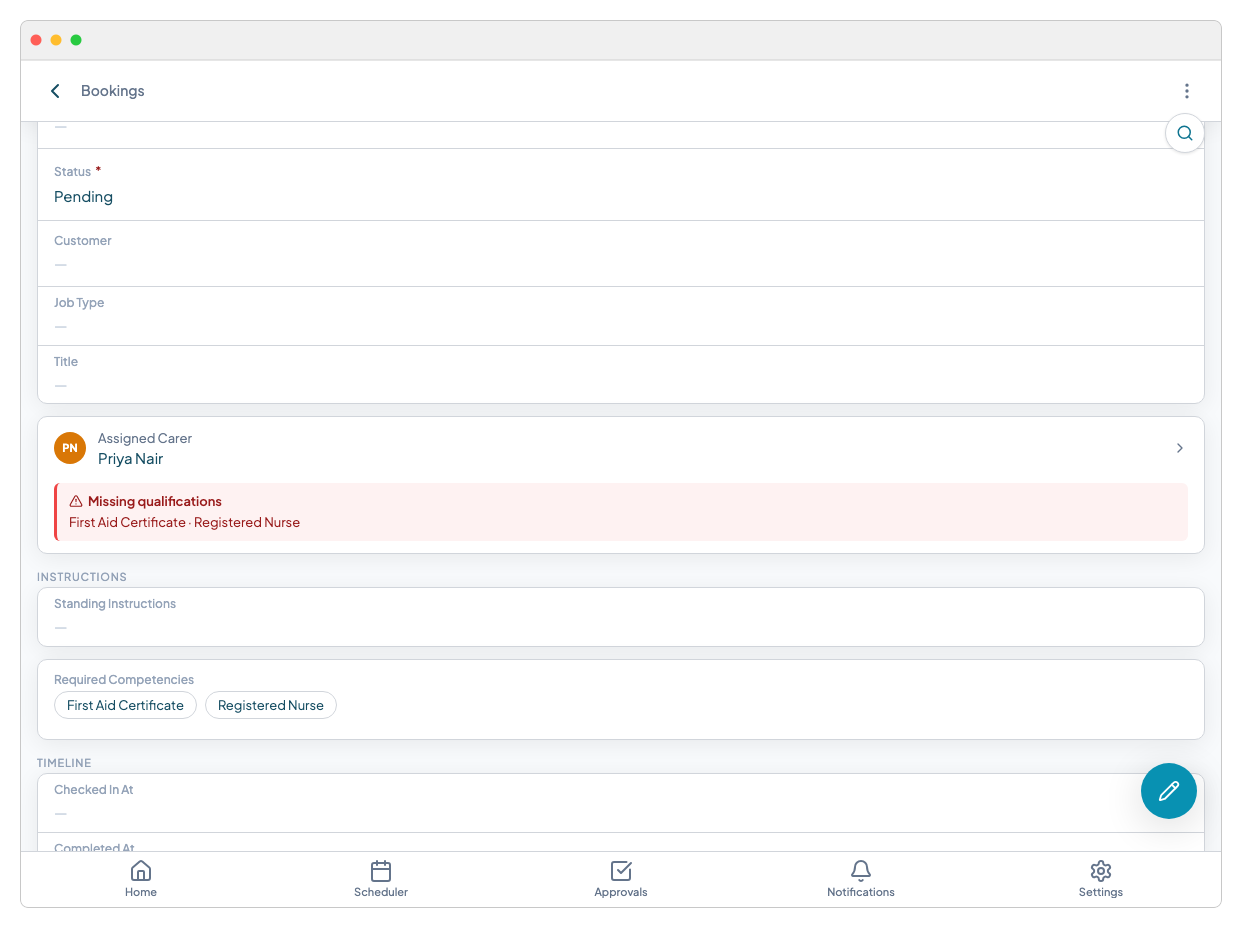
If the worker is missing a required certification, or if one of their certifications has expired, a compliance warning appears on the job record and in the scheduler.
The warning banner
The warning banner appears at the top of the job record in red. It lists exactly which certifications are missing or expired for the assigned worker. This makes it easy to act — you can see at a glance whether the issue is a missing document, an expired one, or a qualification that was never recorded.
On the scheduler board
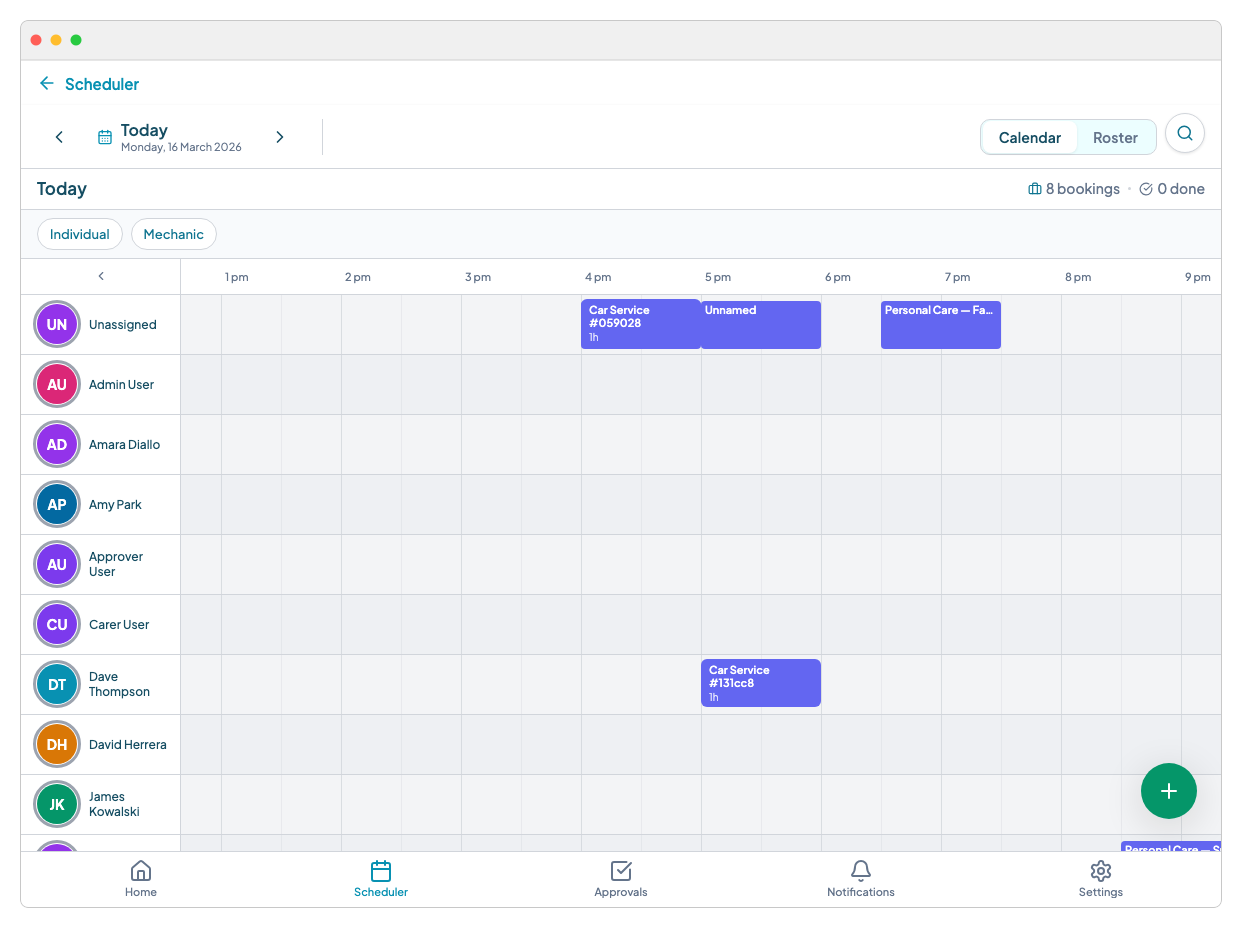
Jobs with compliance issues show a red indicator dot on the scheduler card. You can spot these without opening each individual job. Filter the board to show only flagged jobs when doing a compliance review before the week starts.
Resolving a compliance warning
There are three ways to clear a warning:
- 1.Add or update the certification on the worker's record. Once the qualification is recorded with a current expiry date, the warning clears automatically.
- 2.Reassign the job to a worker who holds the required certifications. The assignment panel shows eligible and ineligible workers (see Using the assignment panel).
- 3.Override with a note if the assignment is intentional and there is a documented reason — for example, a worker is completing their certification imminently or an exemption applies. Overrides are logged in the job activity feed.
Overrides are recorded for audit purposes. The compliance warning is acknowledged, not hidden — auditors can still see that a gap existed and that it was consciously managed.
Expiry alerts
Teiro sends automatic alerts before certifications expire — at 60 days, 30 days, and 7 days. The worker and their coordinator both receive the alert. See Document expiry alerts for full details.
Ready to set up required certifications on your service types? See Setting up required certifications.
Related articles
Setting up required certifications
How to record certifications on a worker, set required certifications on a service type, and use auto-fill to speed up the process.
Using the assignment panel
How the smart assignment panel works, what ELIGIBLE and MISSING QUALIFICATIONS mean, and how to assign a worker with an override.
Tracking carer qualifications and certifications
Record and monitor qualifications, certificates, and their expiry dates for every carer.
Document expiry alerts
Set expiry dates on uploaded documents and get automatic alerts before they lapse.