What the Best Disability Support Worker Apps Actually Include
What a disability support worker actually needs on their phone: pre-shift briefing, GPS check-in, medication administration, kilometre logging, care tasks, progress notes, client messaging, and incident reporting. What Teiro does today, and what generic workforce apps still miss.
What a disability support worker actually needs from an app
A support worker's day happens in client homes and cars, not at a desk. Whatever tool an organisation gives them has to work from a phone, in patchy reception, between visits that are often back to back.
Most of the workforce apps sold into this sector were not built for that. They were built for hospitality, retail, or construction, and then adapted for care. The scheduling and timesheet parts tend to work fine. What is usually missing is everything specific to delivering a support: the care plan context before a visit, medication administration, kilometre logging, a task list tied to the plan, progress notes, client messaging that does not involve a personal phone number, and incident reporting captured from the shift it happened on, not reconstructed after the fact.
This article covers what a disability support worker app actually needs to include, and shows what each of those looks like in Teiro, the care management platform built for Australian NDIS and aged care providers.
Pre-shift briefing: knowing what you need to know before you knock
Before anything else, an app needs to answer one question: what does this worker need to know before they arrive?
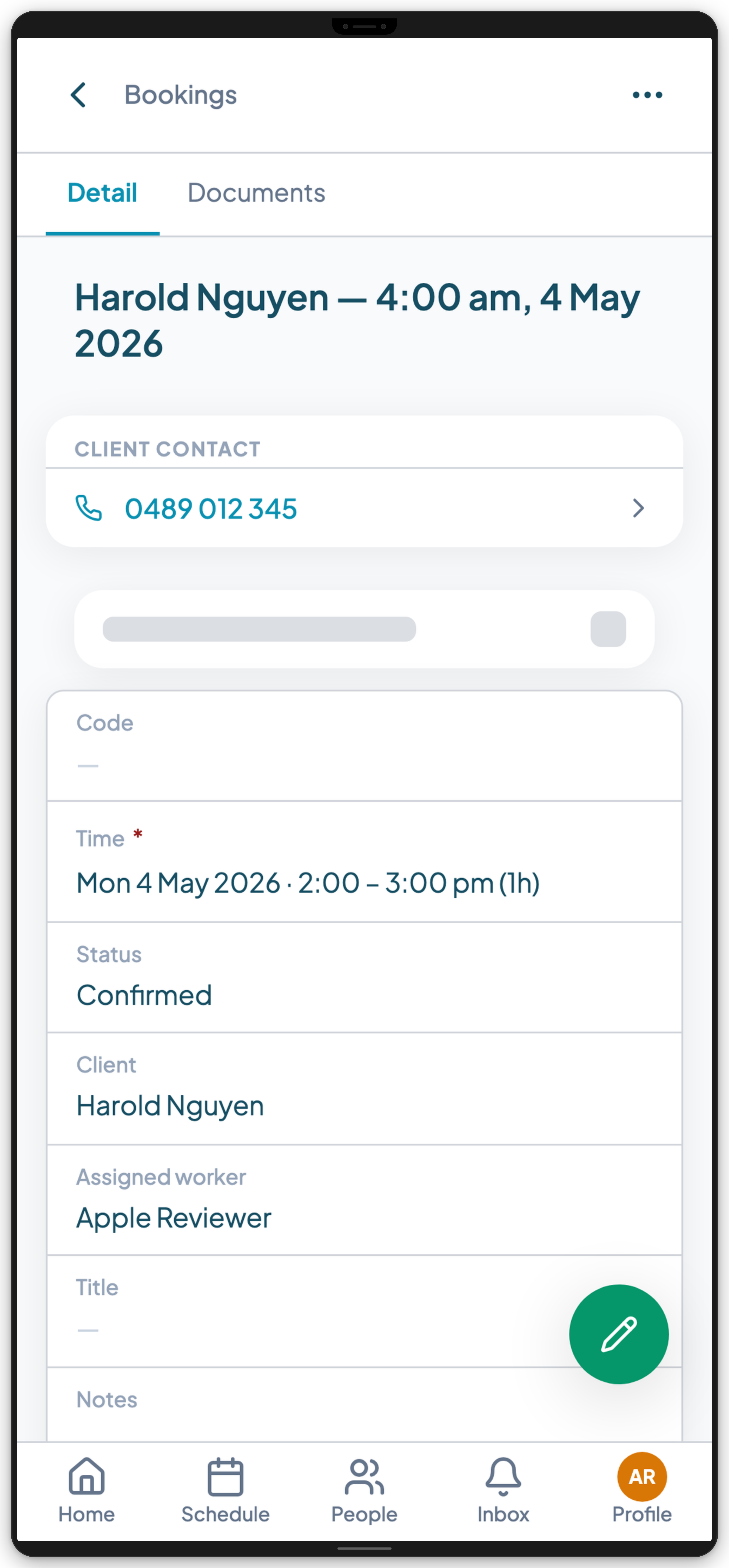
At minimum, that means the participant's name, address, and any access instructions such as gate codes or entry notes; the supports scheduled for the visit; and any health alerts the worker needs to have front of mind, such as allergies or manual handling requirements.
In Teiro, that briefing pulls in recent notes automatically: both the participant's standing notes (the ongoing context that sits on their record, not tied to any one visit) and the notes from their most recent visits. A worker opening today's shift sees what happened last time without hunting for it, rather than arriving cold because the previous worker's note is sitting in a different system, or in someone else's memory.
A generic rostering app shows a name and a time. A disability support worker app should show what the worker actually needs to do the job properly.
GPS check-in and check-out, even with no signal at the moment of the tap
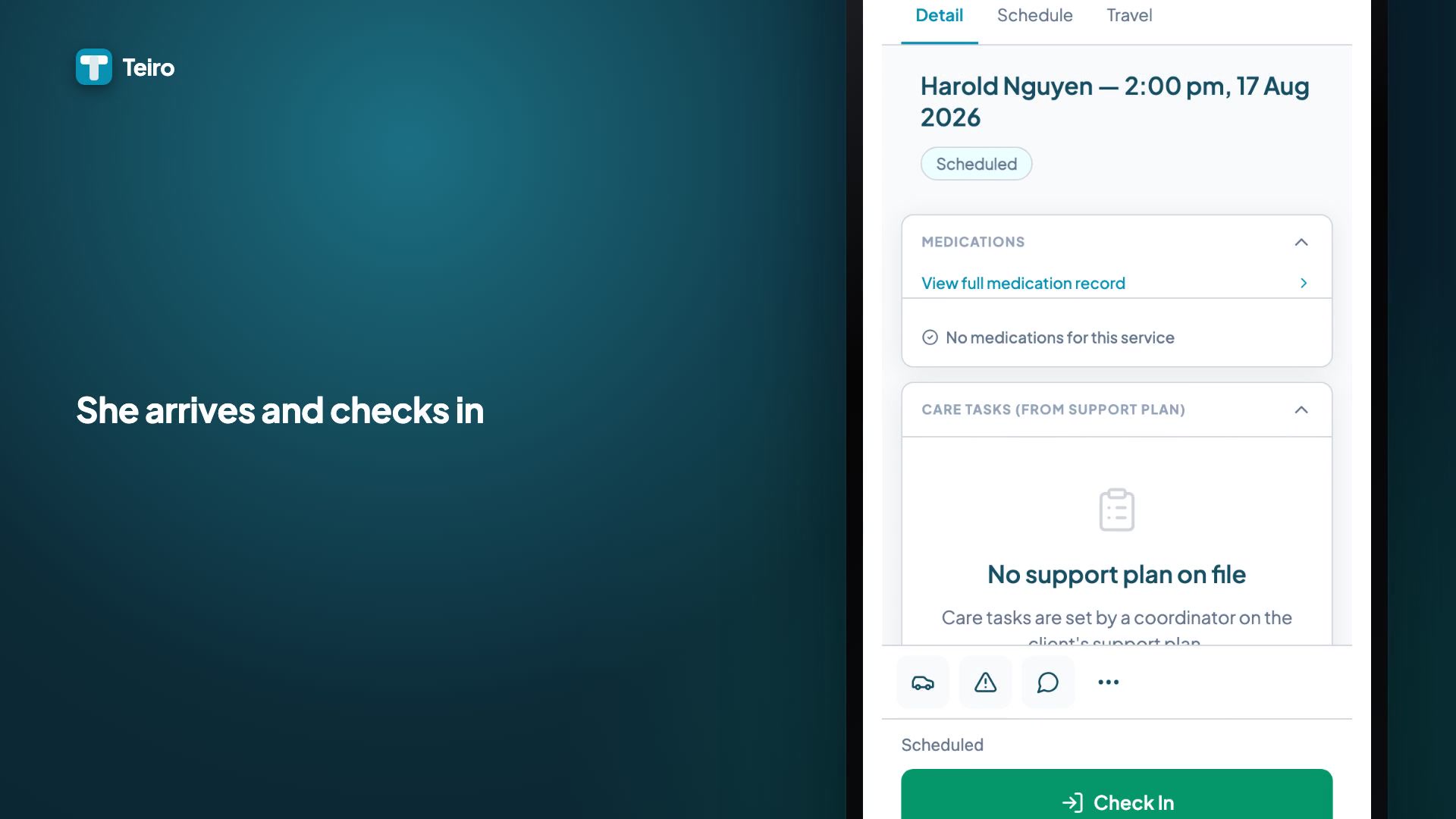
Checking in and out is how a visit gets its attendance record: the evidence a billing run reads later to work out what can be claimed, and the evidence an NDIS audit asks for when it wants proof a service was delivered. In Teiro it is a single tap in each direction, with GPS location captured automatically and no separate timesheet to fill in afterwards.
Reception in a client's home is not always reliable, and that is where most generic workforce apps quietly fail: a check-in attempted with no signal simply does not go through. Teiro's check-in and check-out queue offline. If a worker taps Check In in a basement or a low-signal building, the app stores that attempt on the device and records the time of the tap, not the time it eventually syncs, then sends it through automatically the next time the app is online. A check-in recorded with no bars still carries the correct timestamp, which is what actually matters for an attendance record.
 0:27
0:27Watch
How to Check In and Out of a Visit in Teiro
A support worker arrives at a visit, checks in from the app, and checks out when the visit ends. The times are recorded against the visit as the attendance evidence billing later depends on.
Watch the walkthrough
This offline handling covers check-in and check-out specifically. It is not general offline use of the app: browsing the roster, writing a note, or viewing a client's record still needs a connection.
Care tasks tied to the client's actual plan
Once a worker is checked in, the visit screen carries a task list drawn from the client's support plan (Teiro's own plan of tasks and instructions for their visits, not the NDIA-issued plan a participant's funding sits under) rather than a blank shift with a start and end time. A worker can see what the visit is actually meant to cover, not just where and when.
Some tasks on that plan matter more than others. If a required task has not been marked complete, checking out does not just wave it through: the worker is warned and asked to confirm before the visit proceeds, so a required item does not silently fall off the record. And if the plan itself looks wrong for what the worker is seeing on the ground, they can suggest a change back to the coordinator from the same screen, rather than noting it privately and hoping someone reads it later.
Medication administration: the gap most workforce apps leave completely open
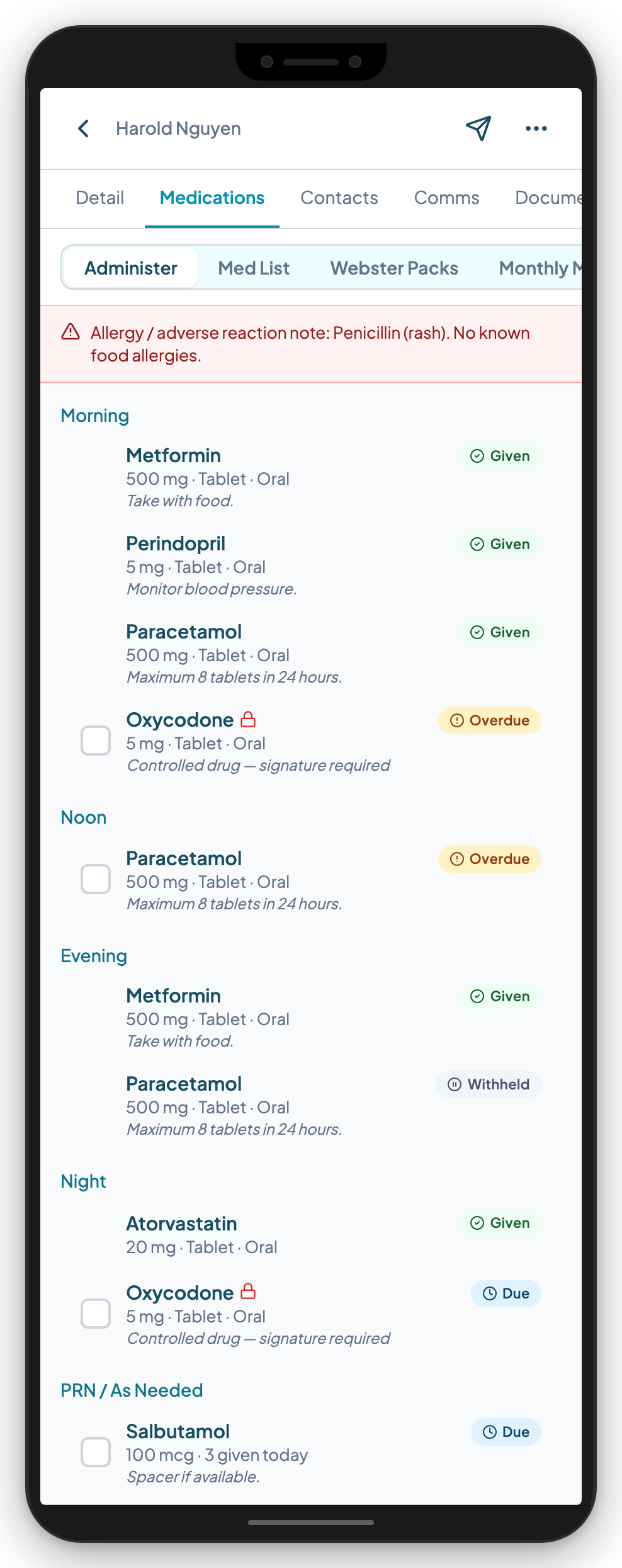
Medication is where most generic workforce apps have nothing at all, and it is one of the more consequential things to get wrong. Teiro's medication administration record (MAR) groups a client's doses by time of day, alongside their active medication list, so a worker sees everything due for that visit on one screen rather than paging through separate entries.
Where a client's medications are packed into a dose administration aid (a Webster pack or similar), a worker records an outcome and a signature for each medication in the pocket in one pass through the administer sheet, and the whole batch commits together as one atomic write. PRN medications sit separately from the scheduled doses. Recording one requires the reason for the dose, and shows how many have already been given today and when the last one was, so a worker can check against the maximum before giving it. An optional effect field captures how the person responded. Controlled drug (Schedule 8) entries step up to a fresh biometric or PIN confirmation rather than reusing a saved one-tap signature.
See the full medication management feature page, or what a medication administration record must contain in Australia for the detail behind each of these fields.
Kilometre logging that survives an audit
Support workers travel constantly: travelling to see a client, transporting a client, or travelling for a client, such as picking up a prescription or groceries on their behalf, and each of those can map to a different NDIS claim category and a different SCHADS entitlement. A kilometre log without a trip type cannot be attributed correctly to either.
In Teiro, a worker logs travel from the same visit screen, chooses the trip type (Travel to Client, Transporting Client, or Travel for Client), and either calculates the distance between the two addresses or enters it manually, with an optional odometer photo attached as evidence. Logged trips then sit in a coordinator's approval queue before they reach payroll or a claim, rather than going straight through unchecked.
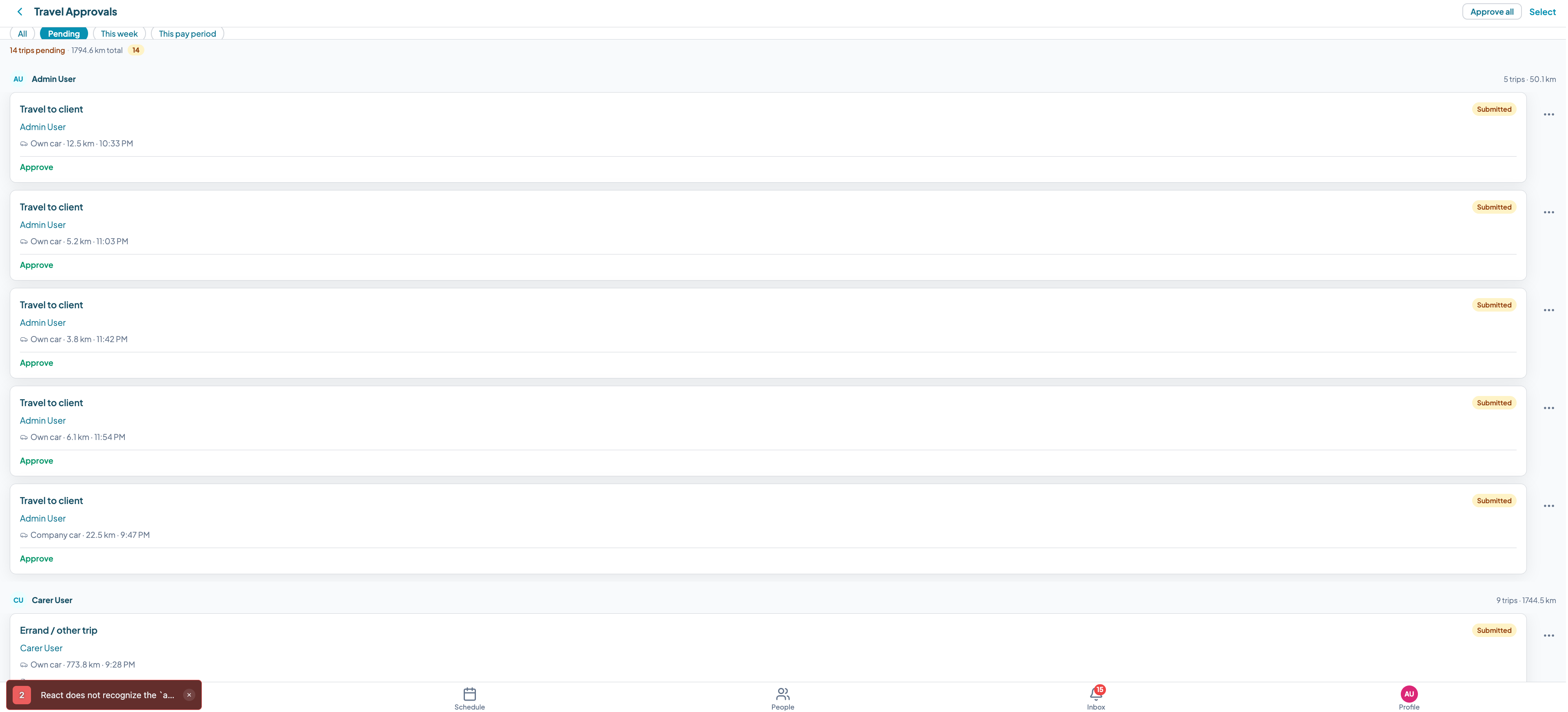
See the full kilometre tracking feature page for how the trip types, GPS calculation, and approval queue fit together.
Progress notes, written right after the visit
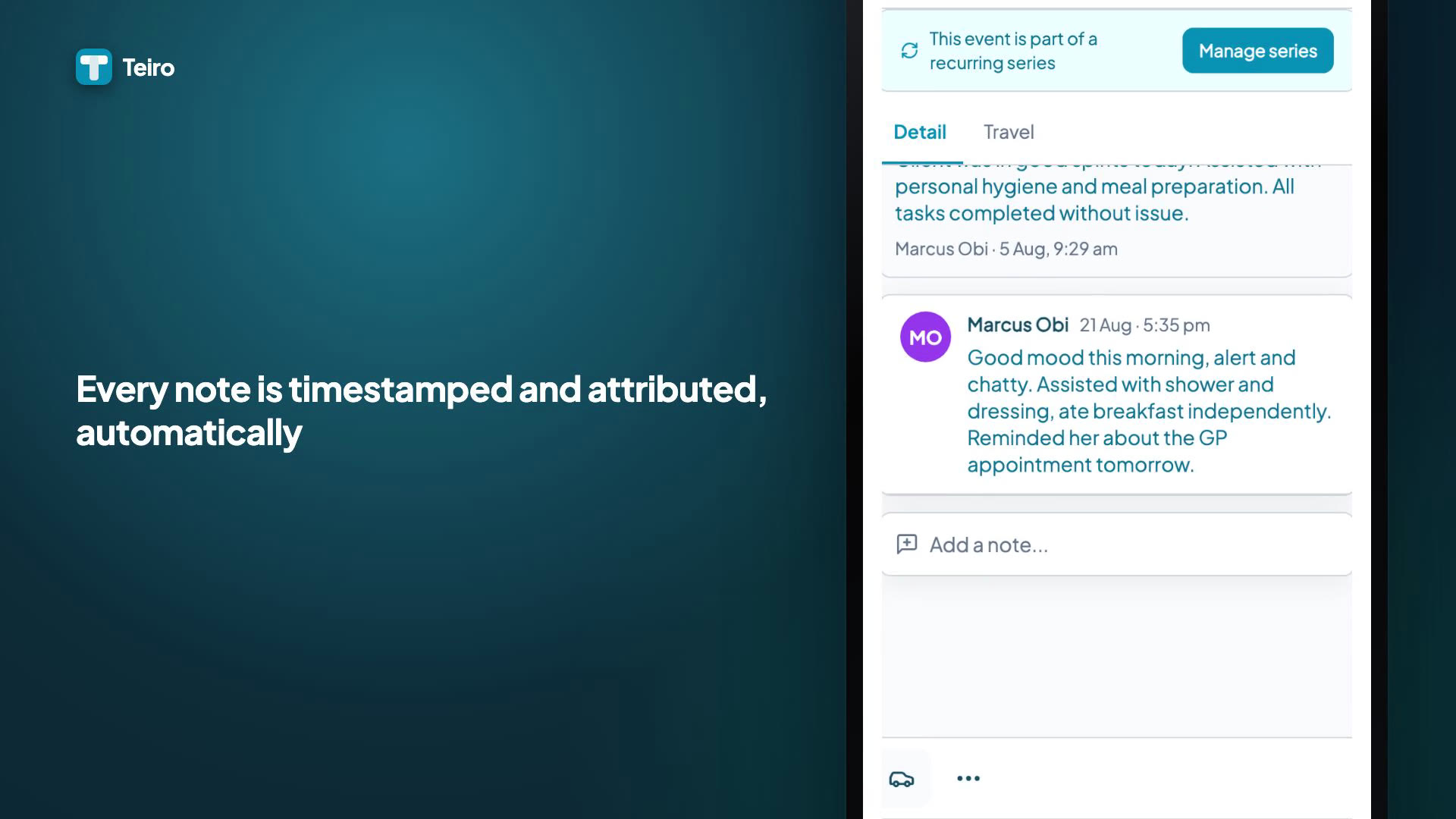
A progress note is only useful if it actually gets written, accurately, close to when it happened. Teiro's note composer opens as a full screen from the visit record, not a cramped text box wedged into a form, and it shows the client's existing note history before a worker adds to it, so every worker sees the same record of what has already happened.
 0:28
0:28Watch
Writing a Progress Note After a Visit
How a support worker writes an NDIS or aged care progress note in Teiro straight from the visit record: seeing the client's note history, a full-screen composer, and a save that timestamps and attributes the note automatically.
Watch the walkthrough
Saving a note attaches it to the participant, the visit, the worker, and the exact time automatically. There is no separate filing step and nothing for a coordinator to chase down later.
Messaging a client without handing over a phone number
Support workers in disability services need to reach the client they are seeing that day: running late, confirming a door code, checking a preference. The default most organisations fall back on is a personal mobile number, in both directions, and once that number is saved it tends to stay saved for every visit after.
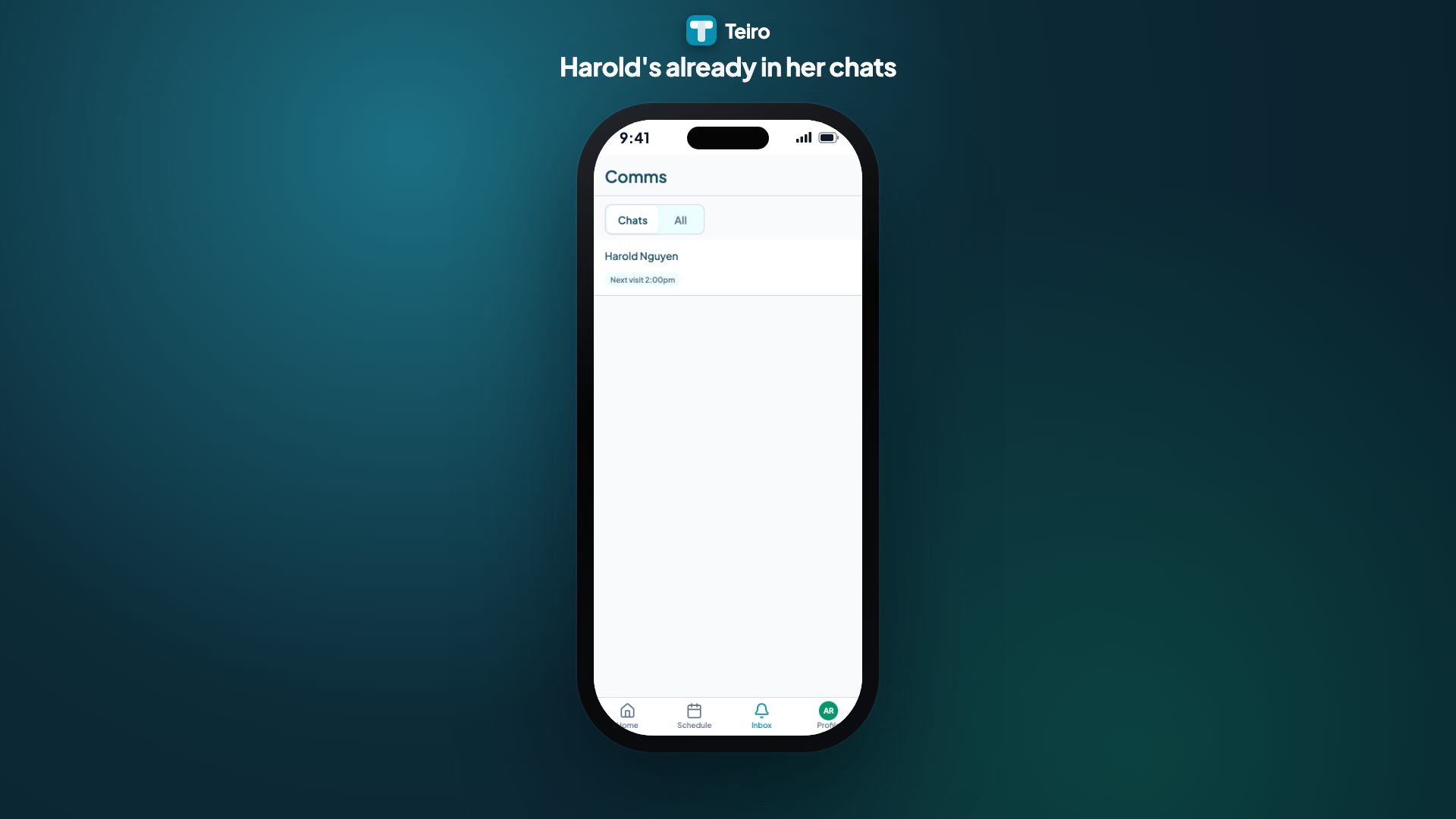
In Teiro, being rostered onto a visit opens a messaging channel automatically. The worker sends from inside the app, the client receives an ordinary SMS from one shared platform number, and neither side's real number is exposed to the other. Every message is recorded against the client's record, and the channel closes automatically once the assignment that opened it ends.
 0:29
0:29Watch
How a Support Worker Messages a Client in Teiro
A support worker running late messages the client from the app, without either phone number changing hands. The channel is already open because she is rostered on, the client replies by plain SMS, and she checks in on arrival.
Watch the walkthrough
See the full client and coordinator communication feature page.
Incident reporting from the field
A worker's first responsibility in an incident is the same regardless of what app is on their phone: make the person safe, call 000 if the situation needs it, then ring their coordinator. Documenting it comes after that. An incident reported immediately after the visit it happened on, while the facts are clear and the worker is still on site, is a far stronger record than one reconstructed two days later from a phone call: more accurate, less likely to miss a reporting deadline, and more complete.
Teiro's incident report opens straight from the shift, with the participant and the visit already linked, so a worker classifies what happened, writes it up, and saves it without re-entering who the participant is. The report is timestamped and attributed to the worker automatically.
Which incidents are reportable, and on what clock, is set by the scheme you operate under, not by the software. NDIS providers and aged care providers sit under two different reportable incident schemes, with different categories and different timeframes: see SIRS vs NDIS reportable incidents.
What generic workforce apps still miss
The most common alternatives care providers reach for:
Deputy, Humanforce, Roubler. Built primarily for hospitality, retail, and warehousing, with care as a secondary use case. Scheduling and timesheets are solid. Participant records, medication administration, kilometre logging tied to NDIS claim categories, care-plan-driven task lists, and incident reporting are not native to these tools.
WhatsApp and spreadsheets. Where most small providers start. Workable at very small scale, and it fails badly as complexity grows: no audit trail, nothing tying a message or a number to a client record, and no structure once staff or client counts climb.
Generic task management apps (Asana, Monday, and similar). Not built for shift-based care at all. Approximating a roster in a tool like this needs heavy customisation and still leaves every NDIS-specific requirement unmet.
Teiro. Built for Australian disability support, aged care, and community health providers. Support workers use the same app for their roster, GPS check-in, medications, care tasks, kilometres, progress notes, client messaging, and incident reporting. Coordinators use the web platform and mobile app for rostering, credential tracking, participant records, and compliance monitoring.
For a wider side-by-side look at how these and other options stack up, see the best NDIS apps for providers and support workers in 2026.
What to actually check when evaluating an app
Rather than a checklist that just repeats what is above, these are the questions worth asking a vendor directly, because the honest answer to each one tends to expose whether a tool was built for care or adapted for it:
- 1.Does a worker see the care plan and recent notes before a shift, or just a name and a time?
- 2.Does check-in still work, and still record the right time, when the connection at a client's home is bad?
- 3.Is medication administration in the same app, with a signed history per medication, or is it a separate system, or nothing at all?
- 4.Does kilometre logging capture a trip type, and does it go through a coordinator before it reaches payroll or a claim?
- 5.Can a worker message a client without either party's personal phone number being exposed?
- 6.Is incident reporting linked automatically to the participant and the shift it happened on, or does it start from a blank form?
An app that cannot answer all six well is filling part of the job, not all of it. The gaps tend to get covered by WhatsApp, spreadsheets, and phone calls, which is exactly where compliance and care-quality problems come from.
Frequently asked questions
Does check-in and check-out work without an internet connection?
Check-in and check-out specifically do. Teiro queues a check-in or check-out attempt on the device when it is offline and records the actual time it was tapped, not the time it later syncs, then sends it through automatically once the connection returns. This does not extend to the rest of the app; browsing the roster, writing notes, or viewing a client's record still needs a connection.
Can support workers administer medication through the app?
Teiro's medication administration record lets a worker see today's doses, record what was given (or not, with a reason) for a whole time slot in one batch with a signature per medication, and record PRN doses with their trigger, effect, and the day's dose count. Whether a specific worker is permitted to administer a specific medication to a specific client is governed by your state or territory's legislation and your organisation's own medication management policy, not by the software. See who can administer medication in NDIS and aged care.
Does the app handle payroll or timesheets?
No. Teiro records attendance evidence (check-in and check-out times) and kilometre logs that a billing run or a payroll process can read, but it is not a payroll or accounting system itself, and it does not currently integrate directly with one.
What happens to a logged trip before it is paid or claimed?
It sits in a coordinator's approval queue first. A trip is not passed through to payroll or an NDIS claim until a coordinator has reviewed and approved it.
Does client messaging replace phone calls entirely?
No. It replaces the specific pattern of a worker and a client exchanging personal mobile numbers to text each other. Phone calls, in-person conversations, and other channels still happen as they always have; the messaging channel is there for the everyday contact that would otherwise default to a personal number.
Teiro is free for organisations with 5 or fewer active users. Book a demo or start free at app.teiro.com.au/register.
Related reading: How to check in and out of a job as a support worker, What a medication administration record must contain in Australia, Kilometre tracking for NDIS care providers.