Best NDIS Apps for Providers and Support Workers in 2026
A practical comparison of the best NDIS apps available in Australia in 2026 — for providers managing rosters, coordinators tracking compliance, and support workers in the field.
Best NDIS Apps for Providers and Support Workers in 2026
The NDIS software market has expanded quickly, and the range of apps available to providers, coordinators, and support workers is wider than it has ever been. This is not always a good thing. More options means more noise, and more providers investing in tools that turn out not to fit the way they operate.
This guide cuts through to what matters: what NDIS providers and support workers actually need from an app, what the leading options offer, and how to make a defensible decision.
What makes an NDIS app genuinely useful
Before comparing products, it helps to be clear about what "NDIS app" means. The term gets applied to four different categories of tool:
Rostering and workforce management apps — managing who works when, credential tracking, GPS check-in, shift notes, and SCHADS Award rate support for payroll. This is the category that affects support workers most directly.
Plan management and billing apps — claiming against NDIS budgets, managing service agreements. This is the category that affects finance and administration teams.
Participant record and case management apps — care plans, progress notes, incident reports, participant profiles. This is the category that affects coordinators and clinical staff.
All-in-one platforms — tools that attempt to cover rostering, billing, case management, and communications in a single system.
Most providers need something from at least two of these categories. The question is whether you get that from one platform or from multiple tools with a bridge between them.
The worker mobile app question
For support workers, the relevant question is simpler: does the app on their phone give them what they need to do their job?
That means:
- Their shift schedule, with participant address and support notes, before they leave home
- GPS check-in and check-out at each visit
- A place to submit shift notes immediately after a visit
- A way to report incidents without making a phone call or waiting until they're at a desk
- Communication with their coordinator, logged and searchable
Any app that cannot do all five of these things is covering part of the job but not all of it. The uncovered parts typically fall back to WhatsApp, phone calls, and paper -- which is where care quality and compliance problems originate.
Apps for NDIS providers in 2026
Teiro
Best for: Small to mid-size NDIS providers (5–200 workers), disability support organisations, and community health services that want a single platform for rostering, compliance, participant records, and billing.
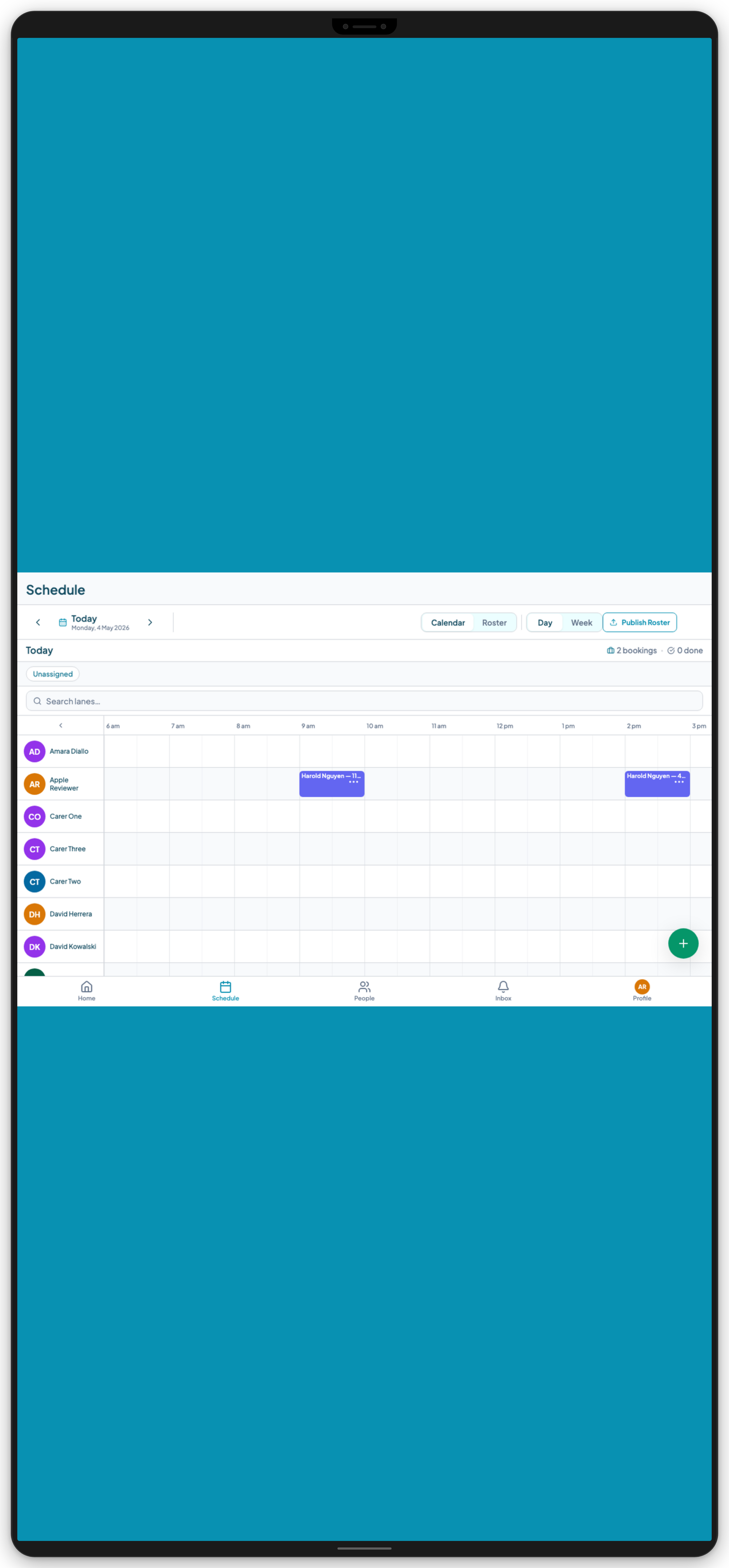
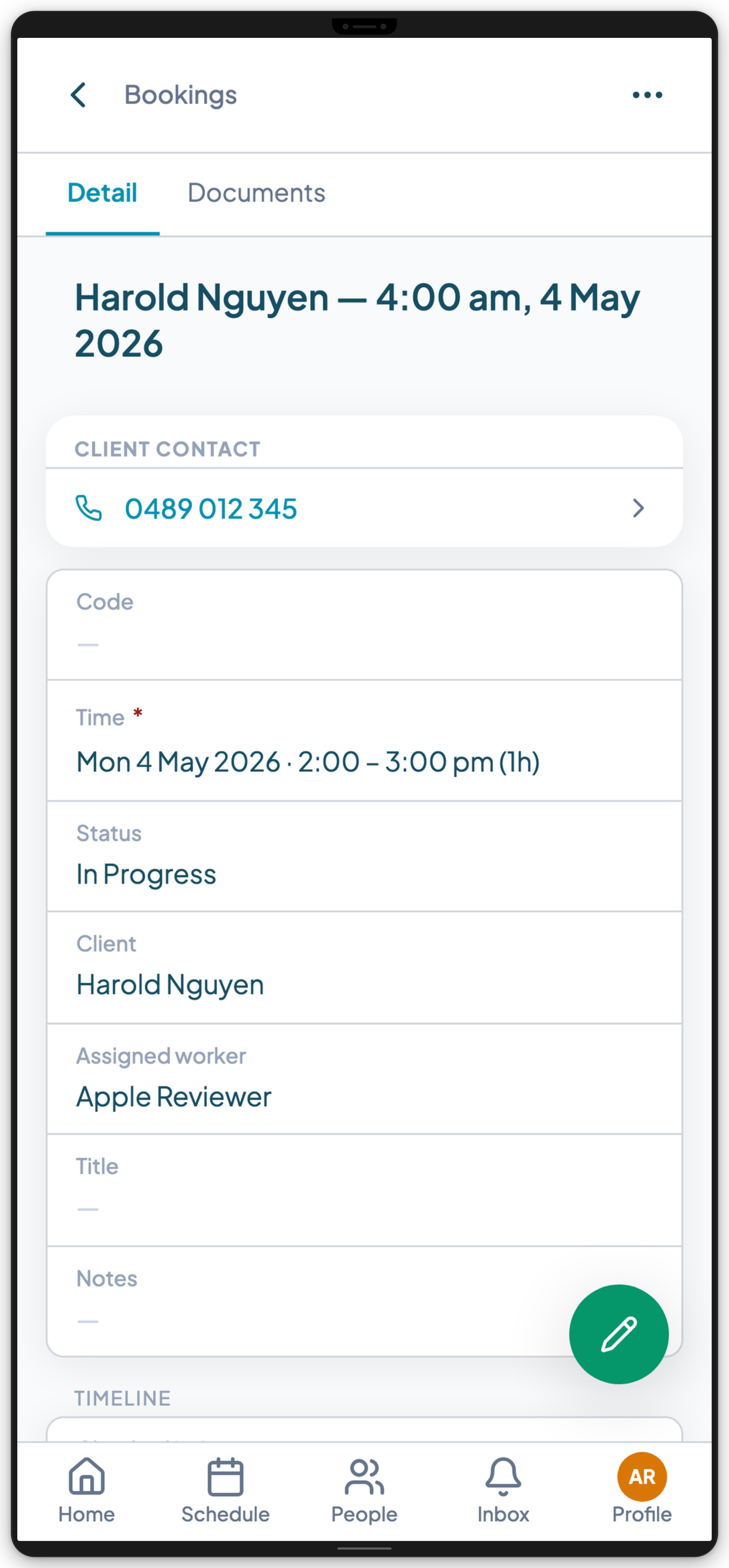
Teiro is built specifically for Australian disability support, aged care, and community health providers. The worker mobile app for iOS and Android covers the full field experience: schedule, participant details, GPS check-in, shift notes, incident reports, and coordinator messages.
The web platform handles the operations side: drag-and-drop scheduling board with credential-aware assignment, qualification and Worker Screening tracking with expiry alerts, participant records with care plan documentation and comms history, and NDIS-aligned billing using NDIS price guide rates, and SCHADS Award rate support for payroll.
Pricing: Free for organisations with 5 or fewer active users. Full platform, no feature restrictions, no credit card required. Paid plans for larger organisations at teiro.com.au/pricing.
Mobile app: Available on App Store and Google Play.
What it does well: The scheduling board is genuinely participant-centred, not just a worker roster. Credential tracking is embedded in the assignment workflow -- you see qualification status when you pick a worker, not as a separate check. The mobile app is designed for support workers who are not particularly technical.
Limitations: Teiro is focused on workforce management and participant records. It is not a dedicated plan management platform -- if you are a registered plan manager handling multiple clients' NDIS budgets, you will want a dedicated plan management tool alongside it.
Imploy
Best for: NDIS and home care providers who want to shape the system around their own workflows rather than adopt someone else's.
Imploy is an Australian-built care management platform covering scheduling, compliance, invoicing, and point-of-care operations. Its distinguishing feature is configurability: custom forms and custom attributes let you capture participant data and operational fields specific to your organisation, while shift note templates standardise documentation without forcing every provider into the same shape. Smart rostering and shift matching surface available, qualified workers automatically, and bulk invoicing syncs with Xero to keep billing and NDIS claims moving with minimal manual work. A dedicated mobile app keeps support workers connected to their roster and notes wherever they are.
What it does well: Customisation depth on participant profiles, assessments, and operational fields. Standardised shift note templates. AI tools that clean up shift notes and flag risk automatically. A free starter tier makes it straightforward to trial without a sales call.
Limitations: A newer entrant, so a smaller track record than the longer-established platforms in this list. Configurability also has a cost in setup time. The flexibility that suits a provider with defined workflows is more work for one that wants sensible defaults on day one.
More detail at imploy.com.au.
ShiftCare
Best for: Mid-size to larger NDIS providers who need a mature, full-featured platform.
ShiftCare is one of the most established NDIS-specific platforms in Australia. It covers rostering, compliance tracking, client records, progress notes, and NDIS billing. The worker mobile app is functional and well-established.
What it does well: Depth of features and a long track record. Strong integration capabilities for payroll.
Limitations: Pricing scales with the number of clients, which makes it expensive for providers with a large participant list. Some coordinators find the interface dense. No free tier -- entry-level pricing starts in the low tens of dollars per month per user.
Lumary
Best for: Enterprise providers who need a Salesforce-based platform and have the budget and implementation capacity.
Lumary is built on Salesforce and is the most feature-rich option in the Australian market. It covers case management, participant records, rostering, billing, and reporting at an enterprise scale.
What it does well: Highly configurable, enterprise-grade compliance features, strong reporting.
Limitations: Implementation cost (often $50k+) and the Salesforce admin overhead make it impractical for providers below enterprise scale. Overkill for most small and medium providers.
Brevity
Best for: Smaller NDIS providers focused primarily on plan management and participant records.
Brevity is built around the participant record and plan management functions. Rostering is available but is not the platform's core strength.
What it does well: Participant records and care plan documentation.
Limitations: Per-client pricing model becomes expensive as participant numbers grow. Rostering capability is more limited than purpose-built rostering tools. Less mature mobile app compared to rostering-focused platforms.
Deputy (with NDIS add-ons)
Best for: Providers who already use Deputy for scheduling and want to layer on compliance features.
Deputy is a general-purpose shift scheduling platform with a strong mobile app. It does not have native NDIS features, but some providers configure it with custom fields to approximate NDIS requirements.
What it does well: Reliable scheduling, good mobile app for workers, strong payroll integrations.
Limitations: No participant records, no NDIS-specific credential tracking, no care plan context for workers, no structured incident reporting. Using Deputy for NDIS compliance requires significant manual effort alongside the system.
For support workers specifically
If you are a support worker choosing or evaluating an app, the questions are:
- 1.Does it show me what I need to know about each participant before I arrive? Not just name and address -- support notes, health alerts, and care plan context.
- 2.Does check-in capture my GPS location? This protects you as much as it documents attendance for the provider.
- 3.Can I submit shift notes immediately after the visit? Not at the end of the day, not on paper -- immediately, from the shift screen.
- 4.Can I report an incident without making a phone call? Workers can start the incident report from the app and notify their coordinator immediately, without waiting until they're back at a desk. For serious or reportable incidents, this complements the verbal escalation — it doesn't replace it.
- 5.Is my schedule accurate and up to date? If coordinators are updating rosters and you are not seeing the changes in real time, the app is not actually helping you.
If you work for yourself, not a provider
The apps above are built for organisations: a coordinator rosters, a worker delivers, the organisation claims. If you are an independent support worker invoicing participants directly, that is a different job and those tools will feel like overkill.
Sparks Scribe is built for that case specifically. It turns a completed shift into a progress note, an NDIS-ready invoice with the support item code, rate and travel applied, and a client record, from a phone. It is Australian owned with data stored in Australia. Sparks Scribe reports more than 110,000 shifts booked through the app and a 5.0 App Store rating. Plans start at $15 per month with a 14-day trial and no card required. See sparkscribe.app.
It does not do rostering, and it is not trying to. If you are coordinating other people's shifts you have outgrown it, and the provider platforms above are the right shelf. If you are a sole trader who just needs the note and the invoice done before you get back in the car, it is a much better fit than anything on this page.
Making the decision
For most NDIS providers -- particularly those under 100 workers -- the decision comes down to:
Do you need a plan management platform or a workforce management platform? Plan management (tracking participant budgets, lodging claims with the NDIA) is a different function from workforce management (rostering, credential tracking, shift delivery). You may need one, the other, or both.
Is your primary pain point the roster, the records, or the billing? Start with the platform that solves your biggest problem. It is easier to add a second tool for a secondary function than to squeeze an inadequate tool into your primary workflow.
What do your support workers actually need in the field? The best platform in the world is not useful if workers do not use it. Evaluate the mobile app for usability, not just features.
Getting started with Teiro
Teiro is free for organisations with 5 or fewer active users. Setup is self-service. A small provider can usually have their team and first roster live within a few days.
Download the iOS app or Android app.
Book a demo at teiro.com.au/demo to see the full platform — scheduling board, credential tracking, participant records, and mobile app — in the context of your organisation's setup.
Book a demo to get started today.
Related reading: What the best disability support worker apps include, How to choose a scheduling app for support workers, How to get started with Teiro.