
How to Choose a Scheduling App for Support Workers — A Guide for Care Providers
What care providers need from a scheduling app for support workers — and what separates tools built for NDIS and aged care from generic workforce software that doesn't quite fit.
Choosing a Scheduling App for Support Workers
Scheduling support workers is not the same as scheduling staff in other industries.
In hospitality or retail, a shift is a slot. The requirements are: body, time, location. In disability support, a shift is a care delivery event. The requirements are: the right worker, who holds the right credentials, assigned to the right participant, with the right support context, at the right time — and with a record that proves it happened.
This guide covers what a scheduling app for support workers in care services actually needs to include, what questions to ask when evaluating tools, and where the gaps tend to appear in practice.
What care rostering actually requires
Credential-aware assignment
Every time a coordinator assigns a support worker to a shift, they are making an implicit claim: this worker is qualified and cleared to deliver this support to this participant.
For NDIS providers, that means:
- A current NDIS Worker Screening clearance
- First Aid and CPR currency
- Any support-specific qualifications (medication management, positive behaviour support, manual handling)
- Compliance with any participant-specific requirements (e.g. only female workers, or workers with a specific language skill)
A scheduling app that cannot surface this information at the moment of assignment forces the coordinator to check it manually — in a separate spreadsheet, in an email thread, or from memory. That check gets skipped. Skipped checks become compliance incidents.
A scheduling app built for care surfaces credential status alongside availability when you are assigning a shift, flags mismatches before you save, and alerts you when credentials are approaching expiry.
Participant-centred records
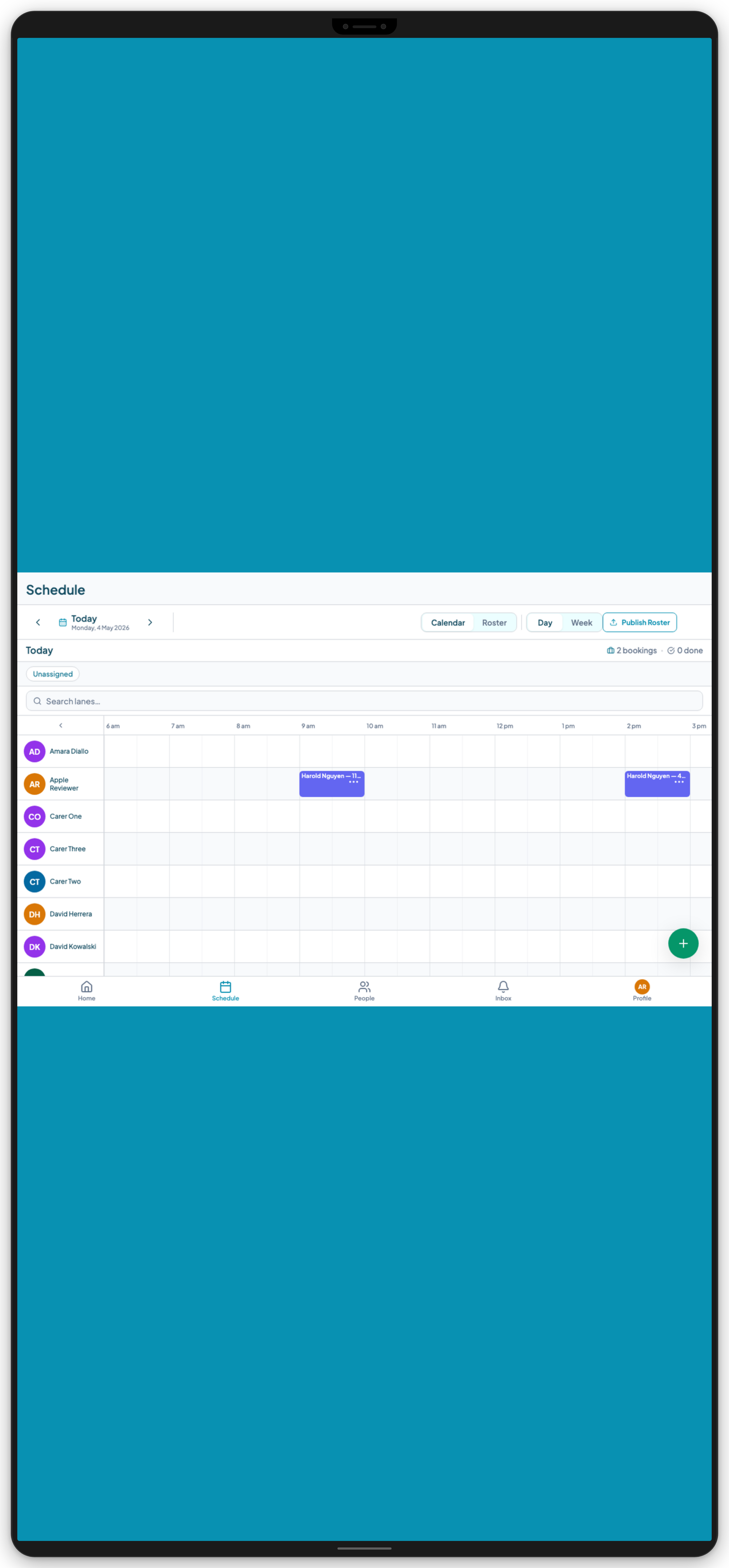
The scheduling board needs to be organised around participants, not just workers. A coordinator needs to see: what supports are scheduled for each participant this week, who is assigned to each shift, whether there are any gaps, and whether any assigned workers have credential issues.
A worker-centred roster (who is working when) is only half the picture. The participant-centred view (who is receiving support when, and is it complete) is the other half — and it is the one that matters most for care quality and NDIS compliance.
Mobile app for workers in the field
If the scheduling tool does not have a mobile app, workers will not use it. They will go back to calling the office, checking a WhatsApp message, or relying on memory.
The mobile app needs to:
- Show each worker's schedule before they leave home
- Give them participant details (address, notes, health alerts) before each visit
- Record check-in and check-out with GPS confirmation
- Accept shift notes and incident reports from the field
A scheduling system that lives only in the office is not a scheduling system for support workers. It is a scheduling system for coordinators, with workers still relying on informal channels.
Real-time visibility for coordinators
Coordinators spend a significant part of their day managing things that change: workers calling in sick, participants cancelling, shifts running over, incidents occurring. A scheduling app needs to support this reality.
That means:
- Real-time status updates as workers check in and check out
- The ability to reassign a shift quickly when a worker is unavailable
- Alerts when a shift is past its start time and no check-in has been recorded
- A clear view of what is in progress versus what is complete
A static roster published on Sunday and not updated until the following week is not managing the live operation. It is documenting what was planned.
Evaluating apps on the market
Purpose-built care platforms
Tools built for disability support and aged care understand the domain. They include participant records, credential tracking, care plan context for workers, and compliance features alongside scheduling. Examples include Teiro, ShiftCare, and Lumary.
The trade-off is that they are more opinionated about how you operate. Setup requires configuring participants, workers, credential types, and qualification requirements — which takes time but produces a system that reflects how care actually works.
When to choose this: If you are an NDIS provider, an aged care service, or a community health organisation. The NDIS-specific requirements (Worker Screening tracking, service agreement management, incident reporting obligations) are handled by the platform, not by workarounds.
Generic workforce management tools
Tools like Deputy, Humanforce, and Tanda are built for shift-based industries broadly. They handle scheduling, timesheets, and leave management well. They do not handle participant records, care plan context, NDIS credential requirements, or structured incident reporting.
When to choose this: If your scheduling challenge is purely about who is working when, and your NDIS compliance is managed entirely through other systems. In practice, this means running two systems and manually bridging the gap.
Spreadsheets and WhatsApp
Where most providers start and where many stay longer than they should. The failure modes are well-documented: no audit trail, no compliance tracking, no real-time visibility, no mobile access to participant context.
When to choose this: You are a sole operator with one or two workers and a completely stable roster. The moment roster complexity grows — more workers, more participants, credential tracking, shift notes — a spreadsheet becomes a liability.
If you are weighing purpose-built platforms against each other rather than against a spreadsheet, see the best NDIS apps for providers and support workers in 2026 for a fuller comparison.
Questions to ask any vendor
Before committing to a scheduling app for your support worker team, ask:
1. Does the scheduling board show worker credentials at the point of assignment? If the answer is "you would need to check that separately", that is your answer.
2. Can workers see participant details on their phone before each shift? Not just name and address — support notes, health alerts, and care plan context.
3. Does the mobile app record GPS check-in and check-out? And is that location data retained and accessible for compliance purposes?
4. Are shift notes submitted in the app or on paper? Paper-based shift notes are not audit-ready and create transcription overhead.
5. Is incident reporting built into the worker's mobile experience? A worker should be able to submit an incident report without leaving the app and without waiting until they return to the office.
6. How are credential expiry alerts handled? Proactive alerts before expiry, not reactive flags after the fact, are what matter.
7. What does the participant-centred view look like? Ask to see how the system shows a coordinator which participants have incomplete coverage for the coming week.
Teiro for support worker scheduling
Teiro is built for Australian disability support, aged care, and community health providers. The scheduling board is participant-centred, credential-aware, and conflict-detecting. The worker mobile app for iOS and Android shows each worker's full schedule, participant details, and check-in tools before every shift.
Free for organisations with 5 or fewer active users. Full platform access, no credit card required.
Book a demo at teiro.com.au/demo to see the scheduling board and mobile app in action. Book a demo to get your organisation running today.
Related reading: What the best disability support worker apps include, How to manage your schedule as a care coordinator in Teiro, NDIS rostering software.