
How to Check In and Out of a Job as a Support Worker
A short video walkthrough of a support worker checking in and out of a visit in Teiro: seeing the visit before setting off, checking in on arrival with the time recorded automatically, and checking out when it ends.
A support worker checks in from the visit screen in the Teiro app on arrival, and checks out when the visit ends. Both times are recorded automatically, with no separate timesheet. Checking out moves the visit to pending verification for a coordinator to review, and those two timestamps become the attendance evidence a billing run reads later.
Watch the walkthrough
 0:27
0:27Watch
How to Check In and Out of a Visit in Teiro
A support worker arrives at a visit, checks in from the app, and checks out when the visit ends. The times are recorded against the visit as the attendance evidence billing later depends on.
Watch the walkthrough
Seeing today's visit before setting off, checking in on arrival with the time recorded automatically, what the visit screen offers while it is in progress, and checking out at the end.
The steps below walk through the same flow screen by screen, for anyone who would rather read than watch.
Step 1: See the visit before you set off
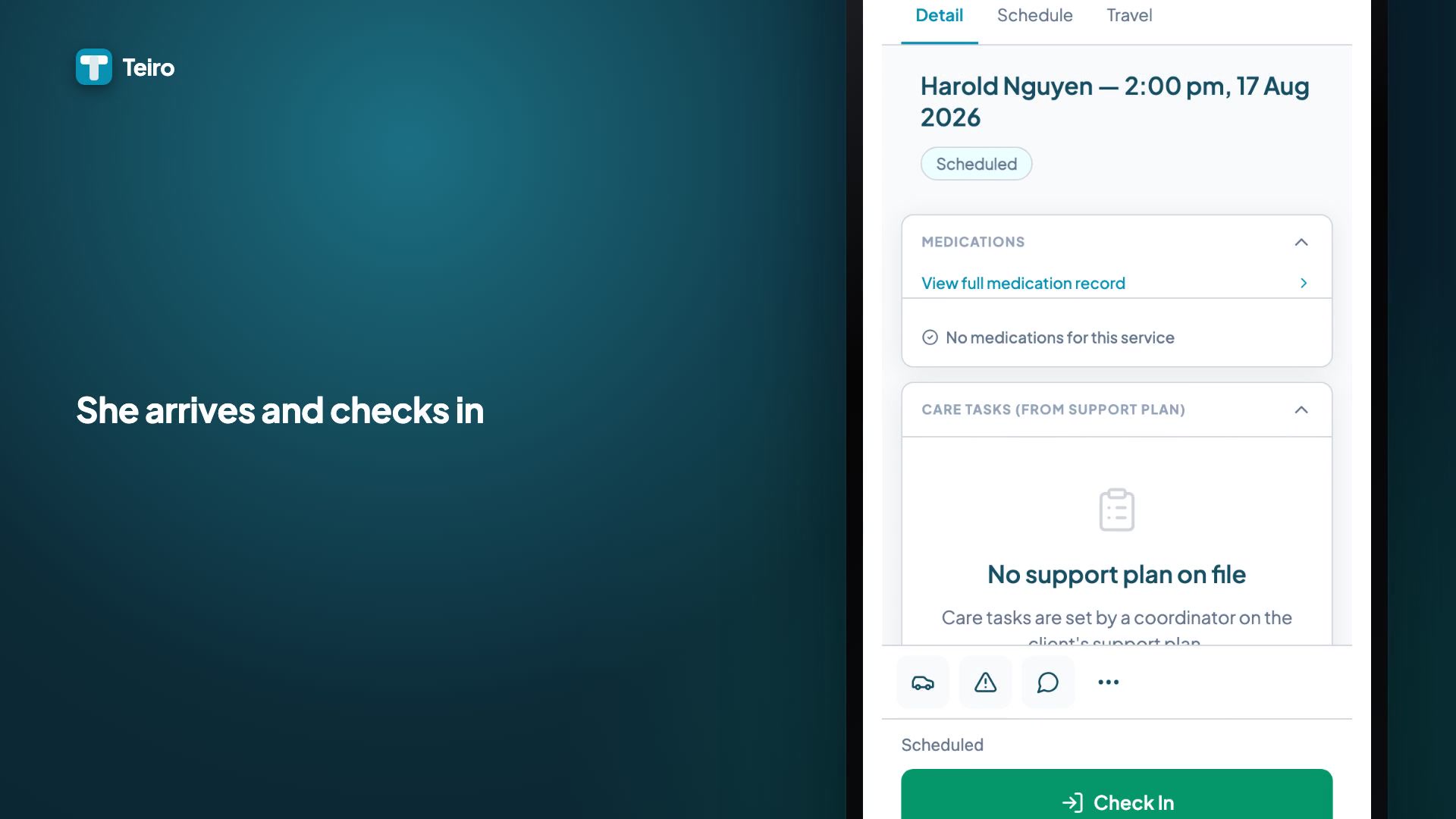
Before a support worker leaves for their next job, it is already sitting on their home screen in the Teiro app: who the visit is with, what time it starts, and where it is. There is nothing to look up and nothing to ask the office for. Alicia's next visit today is Harold Nguyen at 2:00pm, and she can see it before she has even left her last one.
Step 2: Checking in on arrival
On arrival, one tap on Check in is the whole action. The check-in time is recorded against the visit automatically, alongside a GPS confirmation of location, the same location check used across the carer app. There is no separate timesheet to fill in afterwards and nothing to remember later in the day.
The visit moves to in progress and the screen shows a live duration for the rest of the visit.
Step 3: What the visit screen offers while it is in progress
Everything a support worker might need during the visit sits on that same screen, rather than being scattered across separate apps or a phone call to the office:
- Medications, where they apply to the visit
- Care tasks drawn from the client's support plan
- Travel, for kilometres associated with the visit
- A way to message the client directly, without either phone number changing hands -- see how a support worker messages a client in Teiro
- Raising an incident, if something happens that needs to be reported, without waiting until the visit ends
Step 4: Checking out
When the visit ends, checking out is the same one-tap action as checking in, and it records the checkout time against the visit alongside the check-in time.
Checking out does not close the visit outright. It moves the visit into a pending verification state and opens a short post-visit checklist for the support worker to complete. That is by design: a coordinator or billing officer still reviews and verifies the visit afterwards, and the visit only counts as complete once that review has happened. If you are looking for a visit you know has finished and it is not showing where you expect, this pending-verification step is almost always why.
Why the check-in and check-out times matter later
Those two times are not just a record of when someone turned up. They become the attendance evidence attached to the visit -- the thing a billing run reads later to work out what can actually be claimed. A visit checked in and out accurately at the door is what makes the claim right at the end of the fortnight. See how to run a billing run and reconcile payments in Teiro for what happens to that evidence once a visit is verified.
Frequently asked questions
Does checking out finish the visit?
No. Checking out records the checkout time and moves the visit to pending verification, with a short checklist for the support worker to complete. A coordinator or billing officer still needs to review and verify the visit before it counts as complete and becomes eligible for billing.
What if a support worker forgets to check in?
Contact your coordinator as soon as you realise. They can add a manual attendance correction from the web platform with a note explaining the reason, rather than checking in later at the wrong time.
Does check-in use GPS?
Yes. Check-in records a location confirmation alongside the time, the same GPS check used throughout the carer app.
If something went wrong with a check-in -- forgotten, at the wrong time, no signal at the client's home, or against the wrong visit -- see what to do when a check-in goes wrong on Teiro.
This is one of a growing library of short Teiro walkthroughs -- see the full video library for what else is covered.
Ready to see it against your own roster? Book a demo or start free for up to five active users.