
Reporting & Exports
Eight reports. No spreadsheet gymnastics.
Job delivery, carer hours, client service delivery, budget utilisation, invoice status, NDIS bulk claim readiness, qualification compliance, and the incident register. Filter by date range and export to CSV straight from the screen.
Every report is permissioned to the group it belongs to, so Operations, Finance, and Compliance reports only reach the roles that should be looking at them.
Running a small team? Free for under 5 users - no credit card, no time limit.
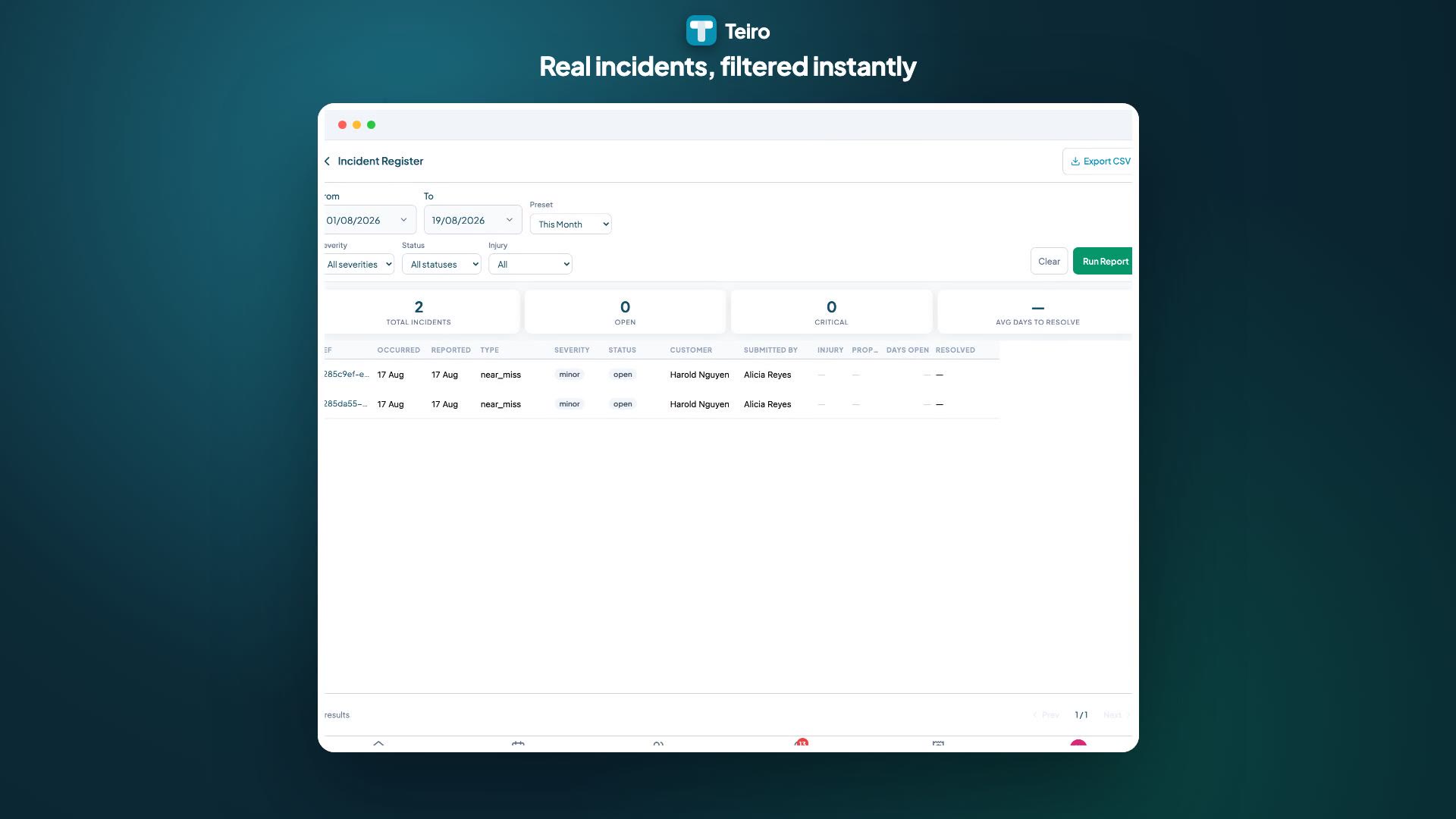
Watch: running and exporting an incident report
Choosing a report, setting the filters and date range, and exporting the result for a board pack or an auditor.
 0:28
0:28Watch
Running and Exporting an Incident Report
How a coordinator runs a report in Teiro: picking one from the reports list, narrowing it to the date range that matters, and exporting the real results to CSV in one click.
Watch the walkthrough
Operations
Job Delivery Summary
Delivery rates, no-shows, and cancellations by date range.
Operations
Carer Hours Summary
Actual hours delivered by carer, grouped by day, week, or month.
Operations
Customer Service Delivery
Per-client service receipt against scheduled hours.
Finance
Budget Utilisation
Funding utilisation across all active clients.
Finance
Invoice & Payment Status
Outstanding, overdue, and recently paid invoices.
Finance
NDIS Bulk Claim Readiness
Agency-managed billable events ready for the next NDIS bulk claim file, checked before you build it.
Compliance
Qualification Compliance
Track qualification expiry across all carers.
Compliance
Incident Register
Full register of incidents by date range, severity, and status.
Eight reports, three groups, one place to find them
Operations, Finance, and Compliance each have their own reports, permissioned separately so a scheduler is not looking at invoice status and a billing-only user is not opening the incident register.
CSV export straight from the report screen
Seven of the eight reports export directly to CSV with the filters you already set applied. No re-entering a date range into a spreadsheet, no reconstructing the numbers by hand.
Real enums, not decorative filters
Every filter on every report is a fixed, real option connected to the underlying data, not a dropdown that looks configurable but changes nothing. If a filter is on the screen, it actually filters.
The same records your team already works in
These reports read from the same job, worker, client, agreement, and incident records that power scheduling and compliance day to day, so a number on a report matches what a coordinator sees on the record itself.
What "NDIS Bulk Claim Readiness" actually checks
This report lists agency-managed billable events that are ready to go into your next bulk claim file, so a finance lead can confirm the batch before it is generated. PRODA is the NDIA's login and access layer, not the claiming system itself; the claim goes through the NDIA's PACE system using the file this report helps you assemble.
Unlike the other seven reports, this one is not a CSV export in its own right; it is the check you run before generating the claim file through Teiro's billing workflow.
Frequently asked questions
What reports does Teiro include?
Eight reports across three groups. Operations: Job Delivery Summary, Carer Hours Summary, Customer Service Delivery. Finance: Budget Utilisation, Invoice & Payment Status, NDIS Bulk Claim Readiness. Compliance: Qualification Compliance, Incident Register.
Can Teiro's reports be exported to CSV?
Seven of the eight reports export directly to CSV from the report screen with your current filters applied. The NDIS Bulk Claim Readiness report is a live pre-claim check rather than an export; the bulk claim file itself is generated through the billing and claims workflow once the events on that report are confirmed ready.
Does Teiro submit claims to the NDIA through PRODA?
The NDIS Bulk Claim Readiness report tells you which agency-managed billable events are ready for your next bulk claim file. PRODA itself is only the login layer the NDIA uses; the claim submission happens through the NDIA's PACE system using the claim file Teiro helps you assemble.
Can I filter a report down to one client or one worker?
Not yet. Today's filters are date ranges and fixed status or category options, all backed by real data. A live search-and-select filter for a single client or worker is not available on these reports at the moment.
Related guides and features
Generating compliance reports
Step-by-step for the Qualification Compliance report.
How to run a qualification compliance report
A closer look at filters and reading the export.
Compliance and qualification tracking
The credential register the Qualification Compliance report reads from.
Service agreements
The agreement and line item data behind the Budget Utilisation and claim readiness reports.
Incidents and reportable incidents
The record behind the Incident Register report.
See the reports live
We'll walk through all eight reports, the filters that actually change the data, and how CSV export fits your existing payroll or finance process.
Free for under 5 users - no credit card, no time limit.