
Request a callback from Teiro support
Last updated
How to ask Teiro to phone you back. Open your profile menu, choose Request a callback, and we call back within one business day, Monday to Friday, 9am to 5pm Sydney time.
How do I ask Teiro to call me?
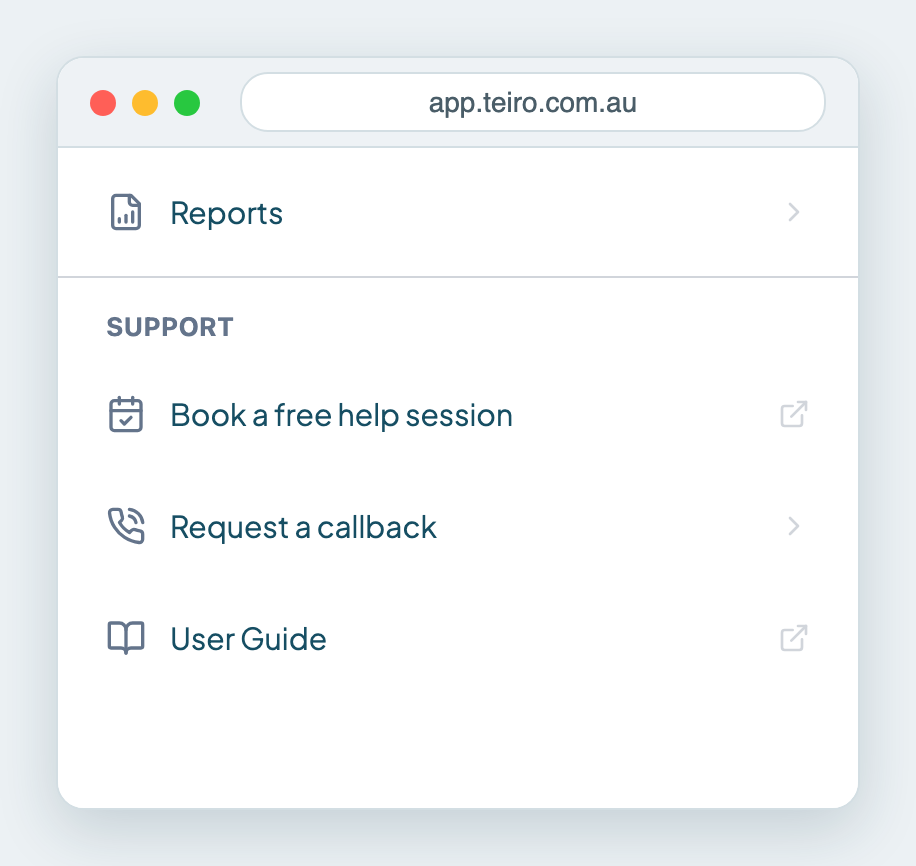
Open your profile menu and choose Request a callback under Support. Fill in a short form and we phone you back. We call back within one business day, Monday to Friday, 9am to 5pm Sydney time.
Everyone can use it, including carers. The row is in the profile menu for every role.
Request a callback
- 1.Open your Profile menu.
- 2.Under Support, tap Request a callback.
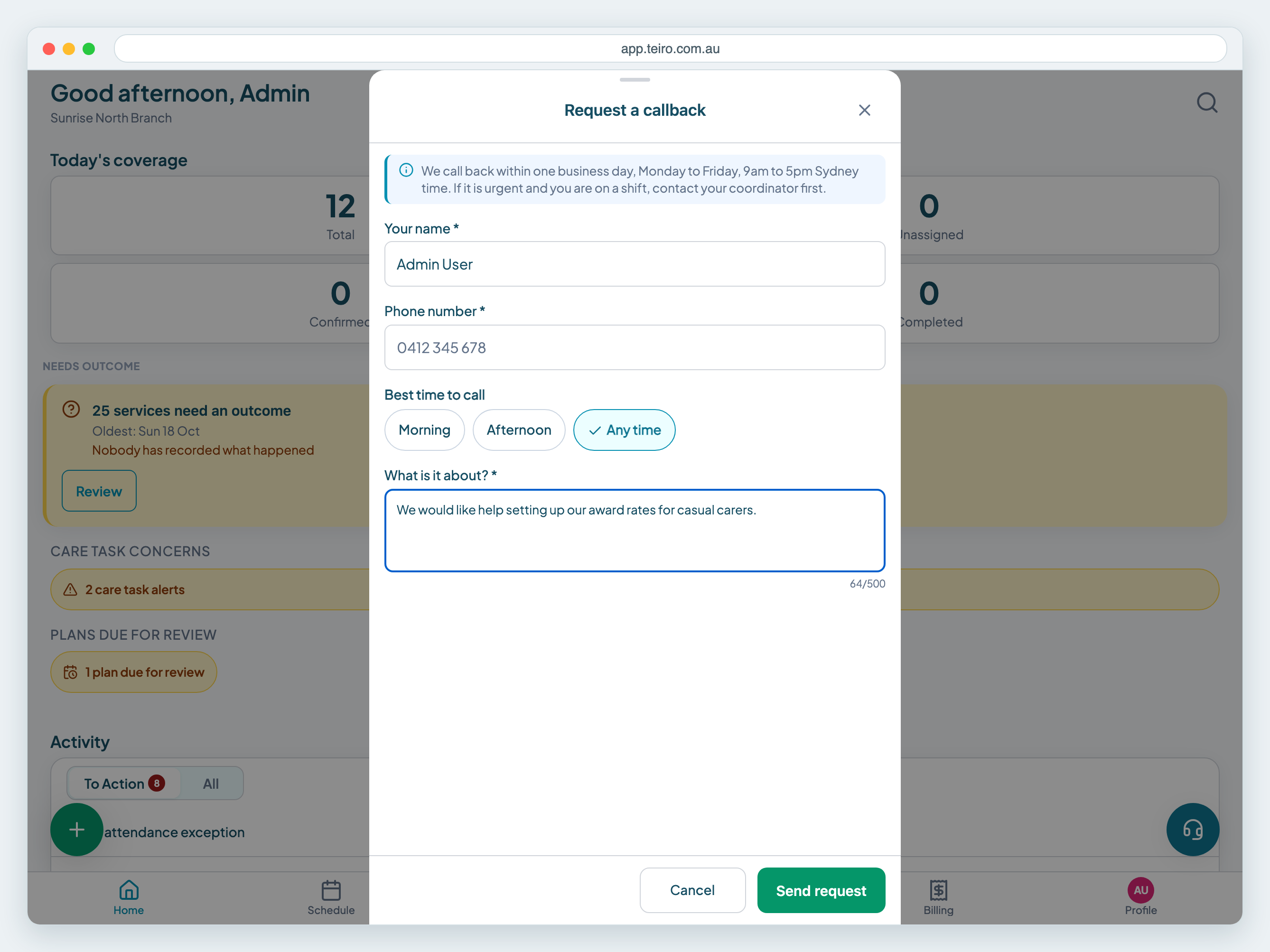
- 1.Check Your name. Teiro fills in the name on your account.
- 2.Enter your Phone number. It is required.
- 3.Choose the Best time to call: Morning, Afternoon or Any time. Any time is chosen for you.
- 4.Under What is it about?, write a sentence or two. The limit is 500 characters.
- 5.Tap Send request.
You see Request sent, with the same reminder about our hours. If you send several requests in quick succession, Teiro shows "We have your request" and we will be in touch, so there is no need to send it again.
When will you call?
We call back within one business day, Monday to Friday, 9am to 5pm Sydney time.
When not to use it
If something is urgent and you are on a shift, contact your coordinator first. A callback request is for help with Teiro, such as setting up your organisation or running a report, and it is not a way to get a shift covered.
If you are an admin, Book a free help session in the same menu lets you pick a time instead.
Frequently asked questions
Where is Request a callback in Teiro? In your profile menu, under Support. Tap Profile, then Request a callback.
How long until I get a call? We call back within one business day, Monday to Friday, 9am to 5pm Sydney time.
Can carers use it? Yes. Request a callback is in every role's profile menu, including carers.
What if my problem is urgent and I am on a shift? Contact your coordinator first. A callback request is for help with Teiro and is answered within one business day.
Next steps
Ready to see Teiro with your own roster? Book a call or start free.
Related articles
Organisation settings
Org Settings, in the Profile menu, holds your logo, billing details, terminology, entity types, competency types and the rules that change how your team works. You need an admin role.
Understanding your Teiro dashboard
Home shows today's coverage and a to-do list Teiro builds for you. This is what each number and activity item means and where it takes you.
Quick start: your first week with Teiro
A five-day plan to go from an empty account to a running roster: organisation, customers, carers, first services and go-live.