
How to Resend a Pending Team Invitation
A short video walkthrough of resending a pending team invitation in Teiro: finding it under Manage team, resending it in one tap, and what happens to the old link.
An admin who has invited a new team member can resend that invitation from Org Settings if it has not been accepted yet. Resending sends a brand new link, and the old one stops working straight away -- so if someone says "I never got the email" or "the link doesn't work", resending is the fix, not asking them to dig the original one out of junk mail.
Watch the walkthrough
 0:22
0:22Watch
How to Resend a Pending Team Invitation in Teiro
An admin finds a team member whose invitation is still pending in Org Settings, taps Resend invite, and a toast confirms a fresh link has gone out. The old invitation link stops working the moment the new one is sent.
Watch the walkthrough
An admin opens Manage team, finds a team member whose invitation is still pending, and resends it. A fresh link goes out, valid for 14 days.
The steps below walk through the same flow for anyone who would rather read than watch.
Where to find it
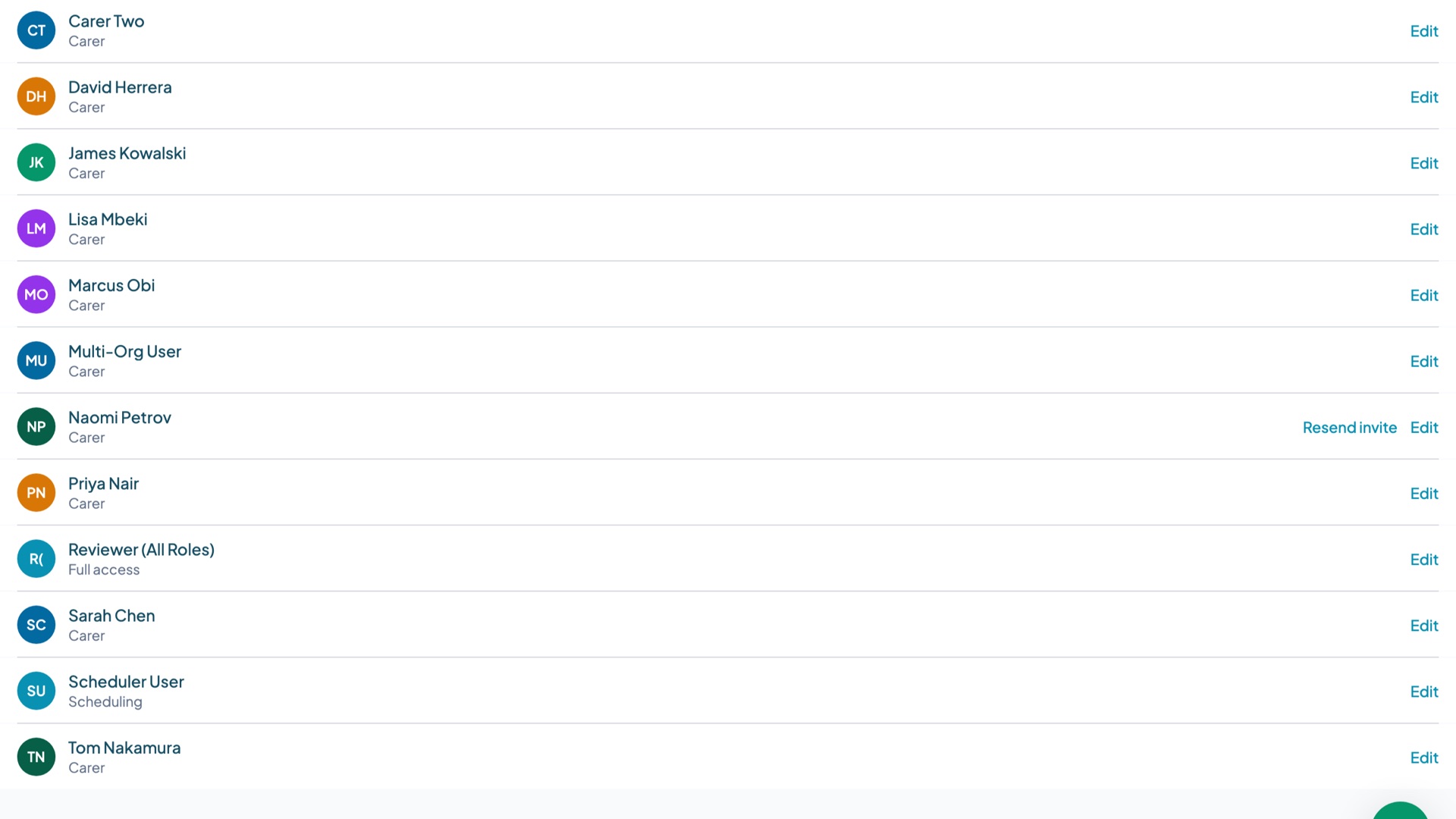
Resend invite lives in Org Settings > Manage team, on the row for the team member in question. It only appears for someone who has not yet accepted their invitation -- once an invitation is accepted, the action disappears from their row, because there is nothing left to resend.
Step 1: Open Manage team
From Org Settings, open Manage team. Everyone added to the organisation shows here, with their role and their status. A team member who has not yet accepted their invitation is marked pending.
Step 2: Resend the invitation
On the pending team member's row, tap Resend invite. Teiro sends a new invitation email straight away and confirms it with a toast on screen.
Step 3: What actually gets sent
Resending does not just repeat the same email. It issues a brand new link, and the previous invitation link stops working the moment the new one goes out. If the team member still has the original email sitting in their inbox and clicks it, it will not get them in -- they need the new one that just arrived.
The new link is valid for 14 days. The invitation email itself states the actual expiry date, so there is no need to work it out from when it was sent.
Who can do this
Only admins see Resend invite. A team member cannot resend their own invitation -- there is no self-serve option for the invitee. There is also no bulk resend: each pending invitation is resent one at a time, from that person's row.
A common case: someone who already has a Teiro login
An invitation stays pending until it is accepted -- even for someone who already has a Teiro login with a different organisation. This comes up more than you would think: a support worker who works for two providers, both running Teiro, still has to accept a separate invitation for the second organisation before they show as active there, even though they can already log in elsewhere. Until they do, their row in Manage team shows pending just like anyone else's, and resend works exactly the same way.
Frequently asked questions
Why can't I see Resend invite on a team member's row?
Resend invite only shows for someone who has not yet accepted their invitation. Once they accept, the action is no longer needed and disappears from their row. If you expected to see it and don't, check whether that person has already accepted -- their status will show as active rather than pending.
Does resending cancel the old invitation link?
Yes. Resending issues a new link and the old one stops working immediately. If the team member forwards or reopens the original email, the link inside it will no longer work.
How long is the new invitation link valid for?
14 days. The invitation email states the exact expiry date, so you do not need to count from when it was sent.
Can a team member resend their own invitation?
No. Resending is an admin action from Org Settings > Manage team. There is no self-serve option for the invitee, and no bulk resend for multiple people at once -- each pending invitation is resent individually.
A team member already uses Teiro for another organisation. Why are they still pending?
Invitations are per organisation. Someone who already has a Teiro login elsewhere still needs to accept the invitation for your organisation specifically before they show as active on your team -- this is common for support workers who work across more than one provider.
Ready to see it on your own team? Book a demo or start free for up to five active users.