
How to create a support plan
Create a support plan from a customer record, write About me, Goals and Preferences and routines, record who agreed to it, and make it current. A short, step by step walkthrough with video.
This is the short version of how to create a support plan in Teiro, in the order that works. It is for admins, coordinators and schedulers. For tasks, versions, reviews and PDF export, see Managing support plans.
If your organisation calls it a "care plan", this is the same thing. Teiro labels it "Support plan" on screen.
Watch the walkthrough
 1:17
Watch
How to Create a Support Plan in Teiro, Including Who Agreed to It
A coordinator creates a support plan for a client in Teiro, writes About me, Goals and Preferences and routines, records who agreed to it, how and when, and makes the plan current so carers can see it.
Watch the walkthrough
The steps
- 1.Open the customer's record and choose the Support plan tab.
- 2.Choose Create support plan. The plan opens as a Draft. Carers cannot see a draft, so take your time.
- 3.Write the three sections: About me, Goals and Preferences and routines.
- 4.Record the agreement: who agreed, how, and the date.
- 5.Save the draft.
- 6.Choose Make current and confirm.
Write the plan
- About me. Who they are, what matters to them and how they like to be supported, in their own words where you can.
- Goals. One goal per line, with a target date if they have one.
- Preferences and routines. Routines, food, language, culture and identity, worker gender and things to avoid. Carers read this, with About me, in the pre-shift briefing on their shift.
Add the care tasks carers should do while you are in the draft. See Managing support plans for how task days, times and frequency work.
Record the agreement before you make the plan current
Every plan records who agreed to it. Fill this in on the draft, so there is nothing left to ask for when you make it current.
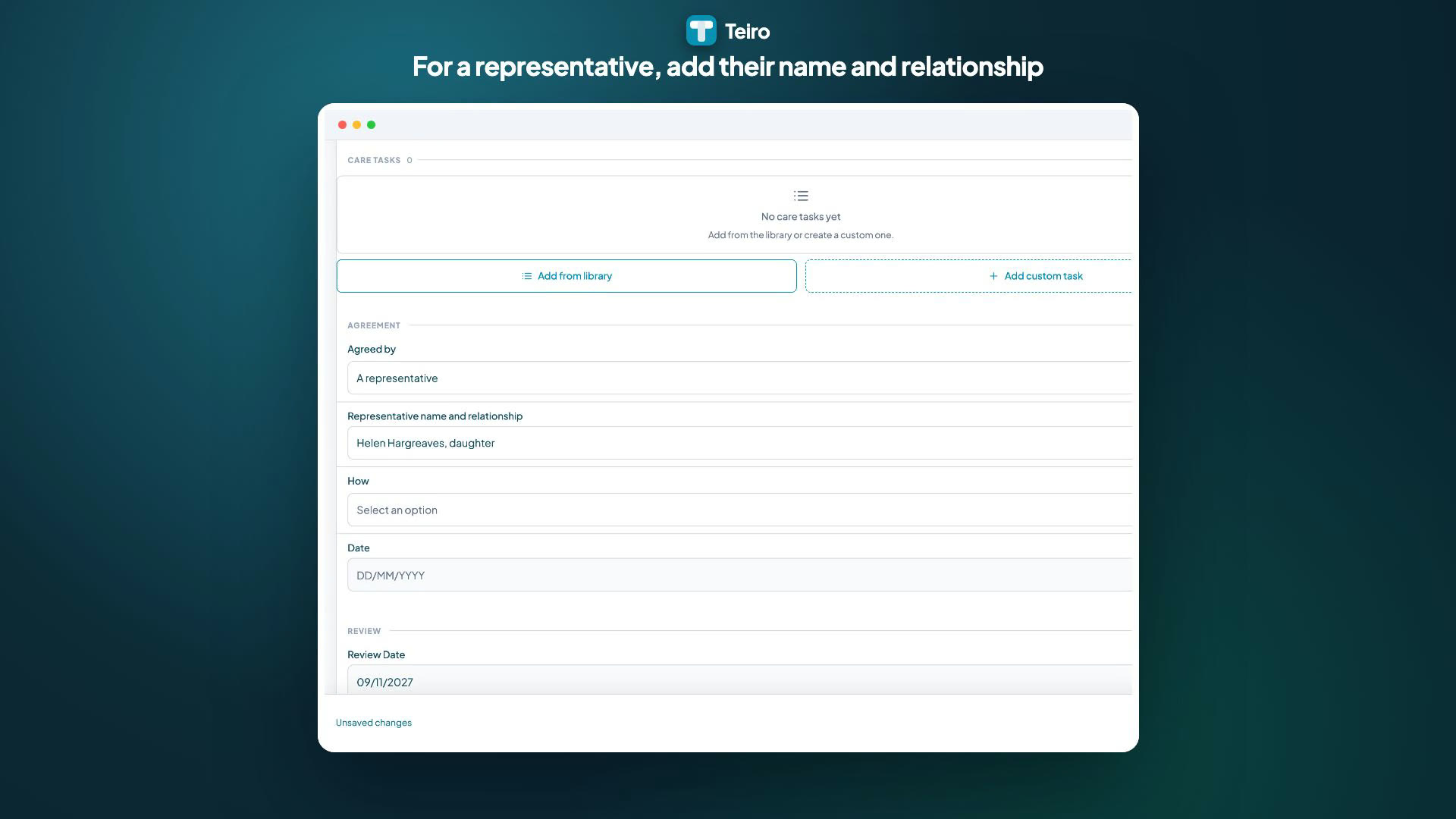
- Agreed by. Choose The person, or A representative. For a representative, a field appears for their name and relationship, for example "Helen Hargreaves, daughter".
- How. Signed on device, signed copy uploaded, verbal agreement, or agreed but declined to sign.
- Date. The day they agreed.
Save, then make it current
Choose Save so the draft keeps everything you entered, then Make current. Teiro asks you to confirm. If anything required is missing, Teiro says what and does not make the plan current.
Once it is current:
- Carers see the plan on their shifts, in the pre-shift briefing. Each carer confirms they have read it, and the plan's Read by list shows who has.
- The plan is locked. To change it, choose Revise plan, which starts a new version. Nothing is deleted.
- The Support plan tab shows a Current card, with the review date. A new plan's review date starts 12 months from today.
Related
- Managing support plans
- What carers see: support plan tasks on a shift
- Support plans and client records
Ready to see it with your own customers? Book a demo or start free.
Related articles
Managing support plans
Create a support plan for a customer, write what matters to them, add the tasks carers should do, record who agreed to it, and make it current. Covers versions, reviews, carer read receipts and PDF export.
Support plan tasks on a shift
What a support worker sees from the customer's support plan on each shift, how to answer tasks with Done, Partly done, Declined by client, Not done or Not applicable today, and how to confirm you have read the plan.
Adding your first customer (participant)
Add a customer from the People tab with just a name, then fill in the file, set up the service agreement on the Funding tab and book services. The order matters for billing.