
Can carers see all my clients?
Last updated
No. A carer sees only the clients they are rostered with, plus clients they have just finished a visit with. Admins, coordinators and schedulers see every client. Here are the exact rules.
Can carers see all my clients?
No. In Teiro, a carer sees only the clients they are rostered to work with, plus the clients they have just finished with. Admins, coordinators and schedulers see every client. A carer's Clients list, the client search and the client's record (including its notes) all follow the same rule. A client who is not rostered to that carer does not appear in their list, and if they try to open the record they are told "This record can't be opened". You do not set this up. It is how Teiro works for every organisation.
When can a carer see a client?
A carer can see a client, and open the client's record, when any one of these is true:
- They have a visit with that client coming up. The visit is assigned to them, and it starts within the next 100 days. The client appears from shortly before the visit starts. A visit that is already in progress counts.
- They are on a repeating series for that client. The series is assigned to them and its next visit falls within the next 100 days.
- They are checked in with that client right now.
- They have just finished a visit with that client. For 48 hours after a visit, the client stays in the carer's list so they can finish their notes. If your organisation uses completion-only visits, that window is 7 days.
When none of these apply, the client drops out of the carer's list. Nothing is deleted. If the carer is rostered with the client again, the client reappears.
What does a carer see?
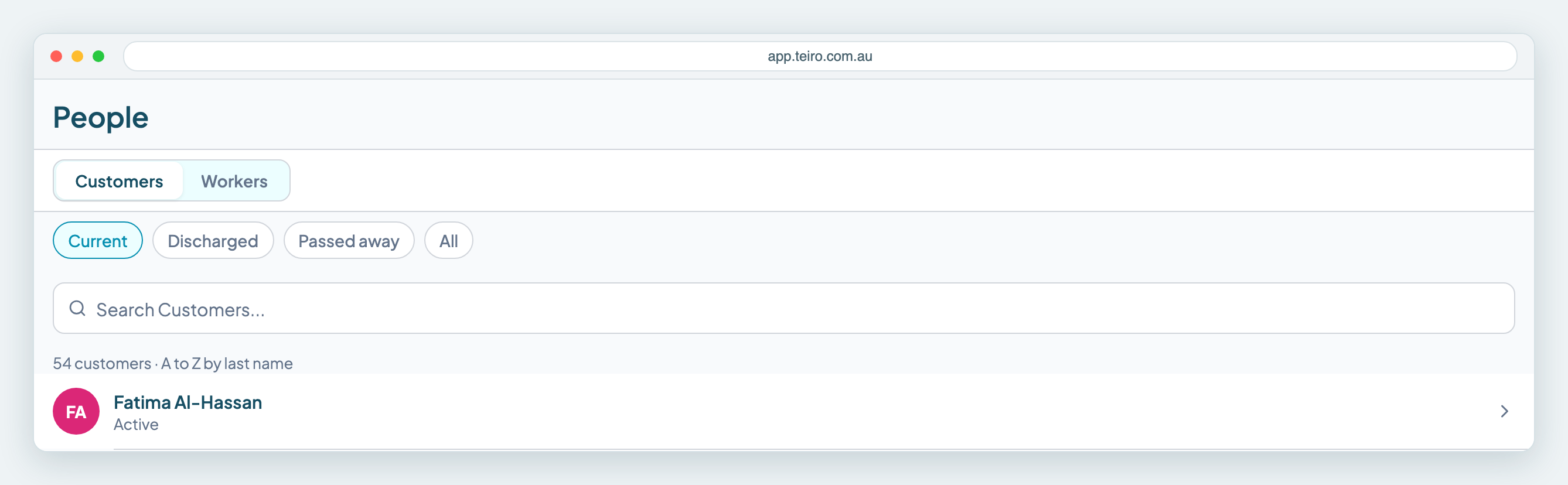
Here is the Clients list as a coordinator sees it. This organisation has 54 clients, and the coordinator sees all of them:
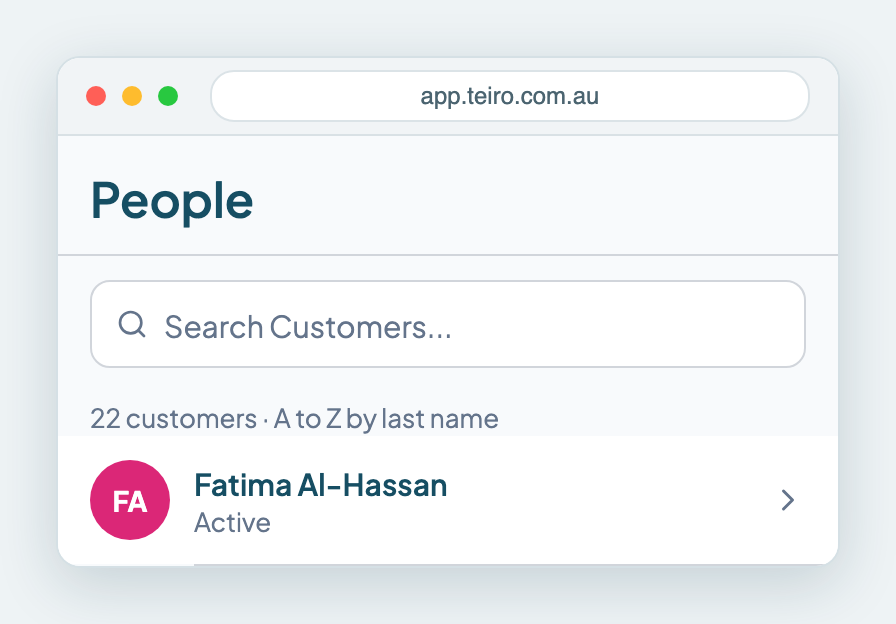
The carer, signed in to the same organisation, sees 22. These are the clients on their roster:
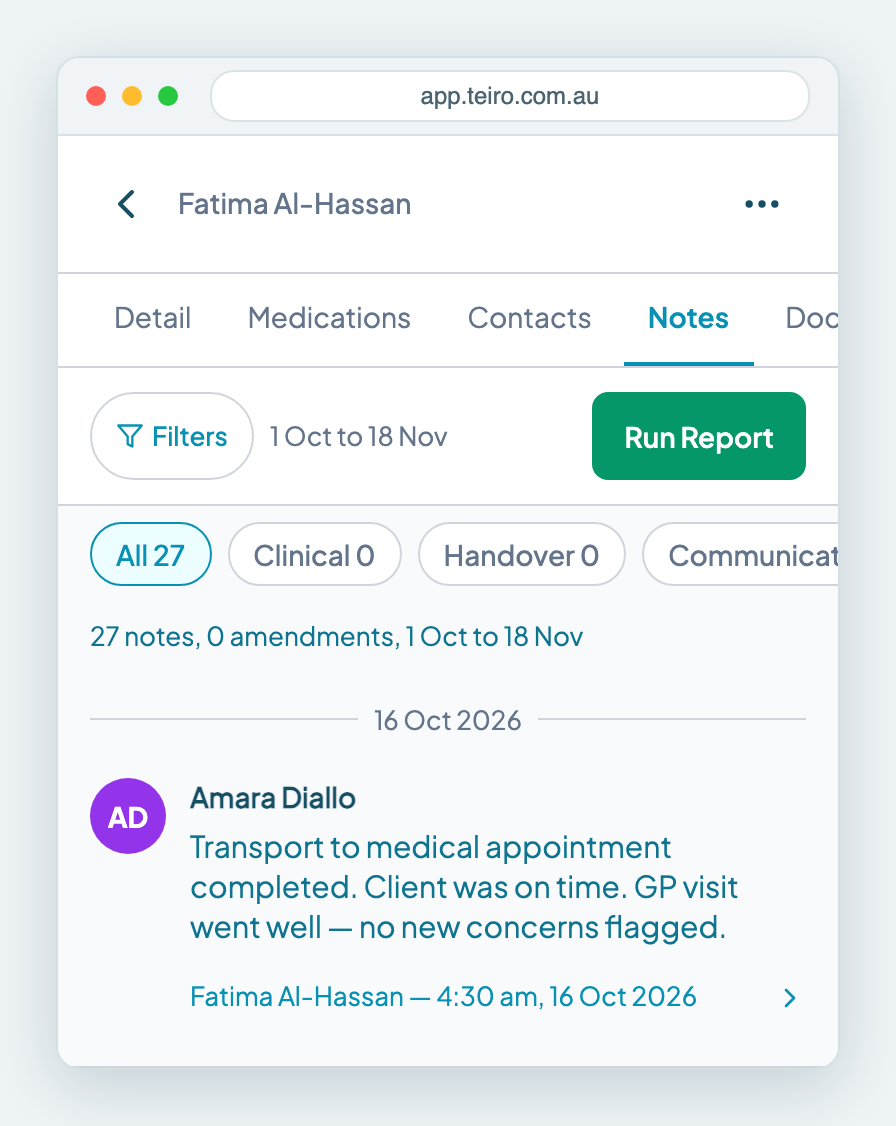
When a carer opens a client they are rostered with, they get the full record, including its notes:
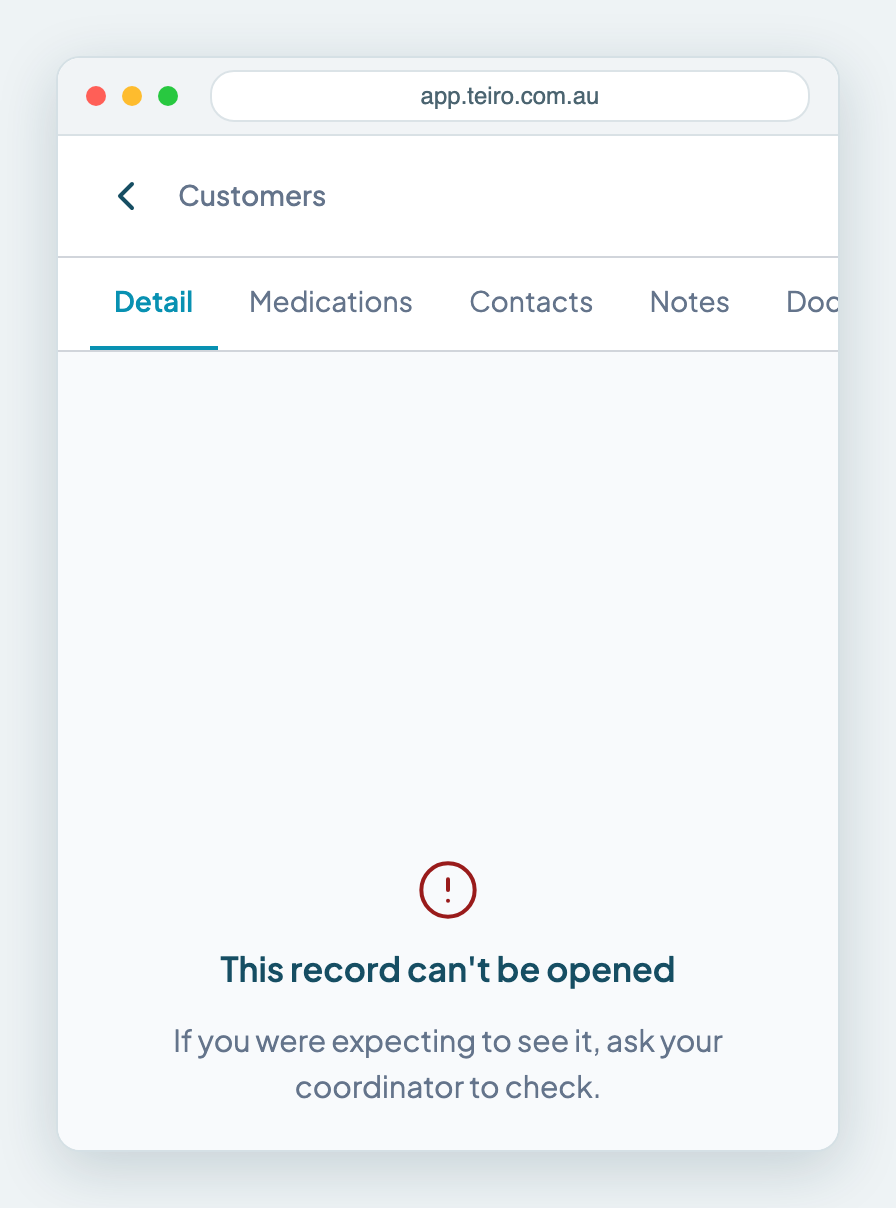
What happens if a carer tries to open a client they are not rostered with?
They see "This record can't be opened. If you were expecting to see it, ask your coordinator to check." This applies to a link or bookmark as well as to the list. The message tells the carer who to ask:
Can a carer search for a client they are not rostered with?
No. Searching the Clients list only looks through the clients the carer can already see. A carer who searches for a client they are not rostered with gets "No Customers match" and nothing else.
What do admins, coordinators and schedulers see?
Every client in the organisation, whether or not a visit is booked. That is what lets a coordinator find a client, book a first visit and reassign work when a carer calls in sick. A carer gets to a client by being rostered, so the coordinator's roster is what decides who sees whom. Assigning a carer to a visit is the step that opens the client to them.
Why does Teiro work this way?
Carers need the right information for the visits they do, and that is all. Most providers promise their clients, in their own privacy policy, that workers see only what they need for the work they do. Limiting access by roster is how Teiro lets you keep that promise without anyone maintaining a list of exceptions.
Your privacy and quality obligations are your own. Check them against your own policies and your regulator's guidance.
Common questions
Can support workers see all clients in Teiro?
No. A support worker (a carer in Teiro) sees the clients they are rostered with, from shortly before a visit starts up to 100 days ahead, and for a short time after a visit. Everyone else in the organisation is hidden from them.
Can a carer see another carer's notes?
A carer who can open a client can read that client's notes. That includes notes written by other carers who also work with the client. They cannot open the notes of a client they are not rostered with.
How long does a carer keep access after a visit?
48 hours. If your organisation uses completion-only visits, 7 days. The extra time is there so carers can finish their notes.
Can I let one carer see a client without rostering them?
Roster-based access is the rule for carers, so the way to give a carer access to a client is to assign them a visit with that client. If a carer cannot see a client they expected, check that a visit or series is assigned to them and that its date is within the next 100 days.
Who can see client notes in Teiro?
Admins, coordinators and schedulers can see the notes of every client. A carer can see the notes of the clients they can open, which means the clients they are rostered with and have recently finished with.
Next steps
- Assigning a carer to a job
- Managing recurring jobs
- Managing roles and permissions
- Writing shift notes that stand up to an audit
- The Teiro user guide
Want to see how this works with your own clients and roster? Book a call or sign up free.
Related articles
Assigning a carer to a job
Open the service and tap Assign Worker. Teiro lists your workers as Available or Unavailable with a reason, applies client exclusions and required qualifications, and offers Offer to team.
Managing recurring jobs
Set Repeat in the New Service form to create a daily, weekly, fortnightly or monthly series. This covers editing one visit or the whole series, and cancelling or removing a repeating service.
Managing roles and permissions
Give each person one of four roles, then switch individual entitlements on or off for them. Suspend a person to remove their access straight away.
How to Write a Shift Note That Actually Stands Up in an Audit
A shift note is evidence. This guide covers what NDIS auditors look for, what workers commonly get wrong, and what a valid shift note must include.