
Export Travel Logs to Check Worker Mileage
Export last month's travel log from Teiro and check it against worker invoices before you pay kilometres.
Overview
When contractors and workers send invoices that include kilometres, someone has to check them. The travel log report gives you the trips carers logged in Teiro, in a file you can sort and total, so you can compare it with the invoice in minutes.
This guide uses the common case: last month's trips, checked at month end.
Watch the walkthrough
 1:17
1:17Watch
How to Export Last Month's Travel Logs to Check Worker Mileage in Teiro
An admin opens Reports, Travel log, exports last month's trips to Excel for one worker, and adds up the kilometres to compare with the worker's invoice. The Last month window moves forward on its own and shows the exact dates it covers.
Watch the walkthrough
Step 1: Open the Travel Log report
From the Profile menu, open Reports and choose Travel Log.
Step 2: Choose last month
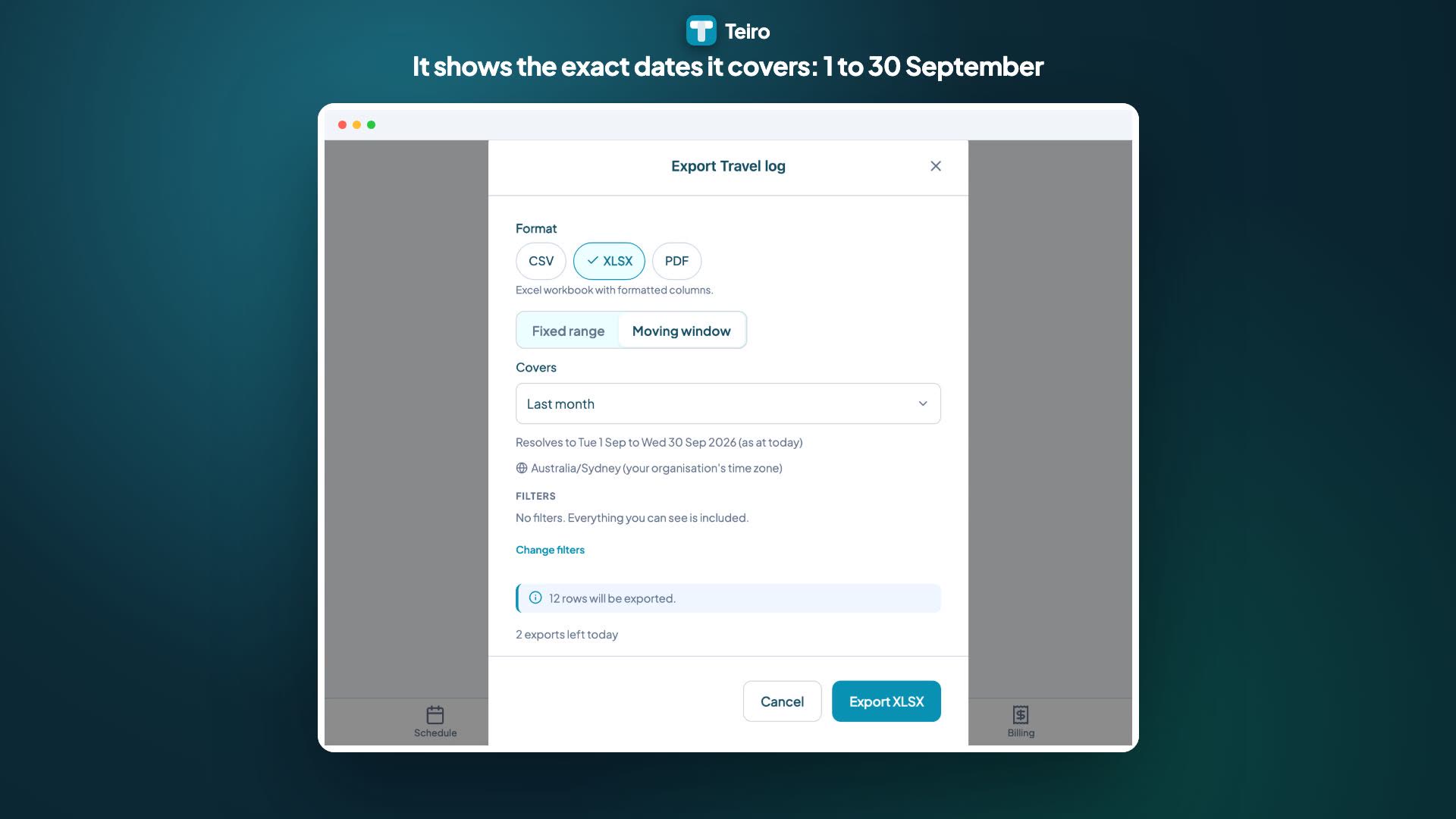
Tap Export. Under Date range, switch to Moving window and choose Last month.
Check the line under the picker, for example Resolves to Thu 1 Oct to Sat 31 Oct 2026. This is why a moving range is useful here: next month you choose the same option and it moves forward on its own.
Step 3: Filter to one worker (optional)
To check a single invoice, filter the report to that worker before you export. To check everyone in one go, leave the worker filter empty and sort by worker in your spreadsheet.
Step 4: Export and compare
Choose Excel (or CSV), tap Export and open the file. Add up the worker's trips and compare the total with their invoice. Where the numbers differ, look at the trips on the dates in question.
The distances are the ones carers logged in the app, either calculated from the route or entered by hand. See How to track kilometres for care visits for how a trip gets recorded and approved.
The limits are 1,000 rows for CSV and Excel, so for a very large team, filter by worker or by team.
Do it every month without remembering
Once you are doing this each month, set up a report rule so the travel log is emailed to you on the first of the month.
Next steps
- How to track kilometres for care visits
- Export a report to CSV, Excel or PDF
- Choose a date range that moves
Want to see kilometres and exports with your own data? Book a demo or sign up free.
Related articles
How to Track Kilometres for Care Visits
Step-by-step guide for carers logging trip kilometres in the Teiro app, and for coordinators reviewing and approving travel records.
Export a Report to CSV, Excel or PDF
How to turn a Teiro report into a CSV, Excel or PDF file, with your filters and date range applied, and what the row limits and daily limit mean.
Choose a Date Range That Moves: Last Week, Last Month, Financial Year to Date
Use moving date ranges in Teiro exports and report rules so "last month" always means the month just gone, not the dates you picked once.
Email a Report on a Schedule
Set up a report rule so a report emails itself, for example shifts delivered to your bookkeeper every Friday at 5pm.