
Repeat a service every 3 weeks, monthly or quarterly
Last updated
How to set a service that does not fit weekly or fortnightly in Teiro: every 3 weeks, every 6 weeks, monthly on a date or on the 2nd Tuesday, or every 3 months. Set it once and the series is on your roster.
How do I repeat a service every 3 weeks, or monthly?
Set Repeat in the New Service form. Besides Weekly and Fortnightly, Teiro has Every 4 weeks, Monthly, Quarterly and Custom, so a podiatry visit every 3 weeks, gardening every 6 weeks or home maintenance every 3 months is one series, not a list of single bookings you have to remember to add.
Watch the walkthrough
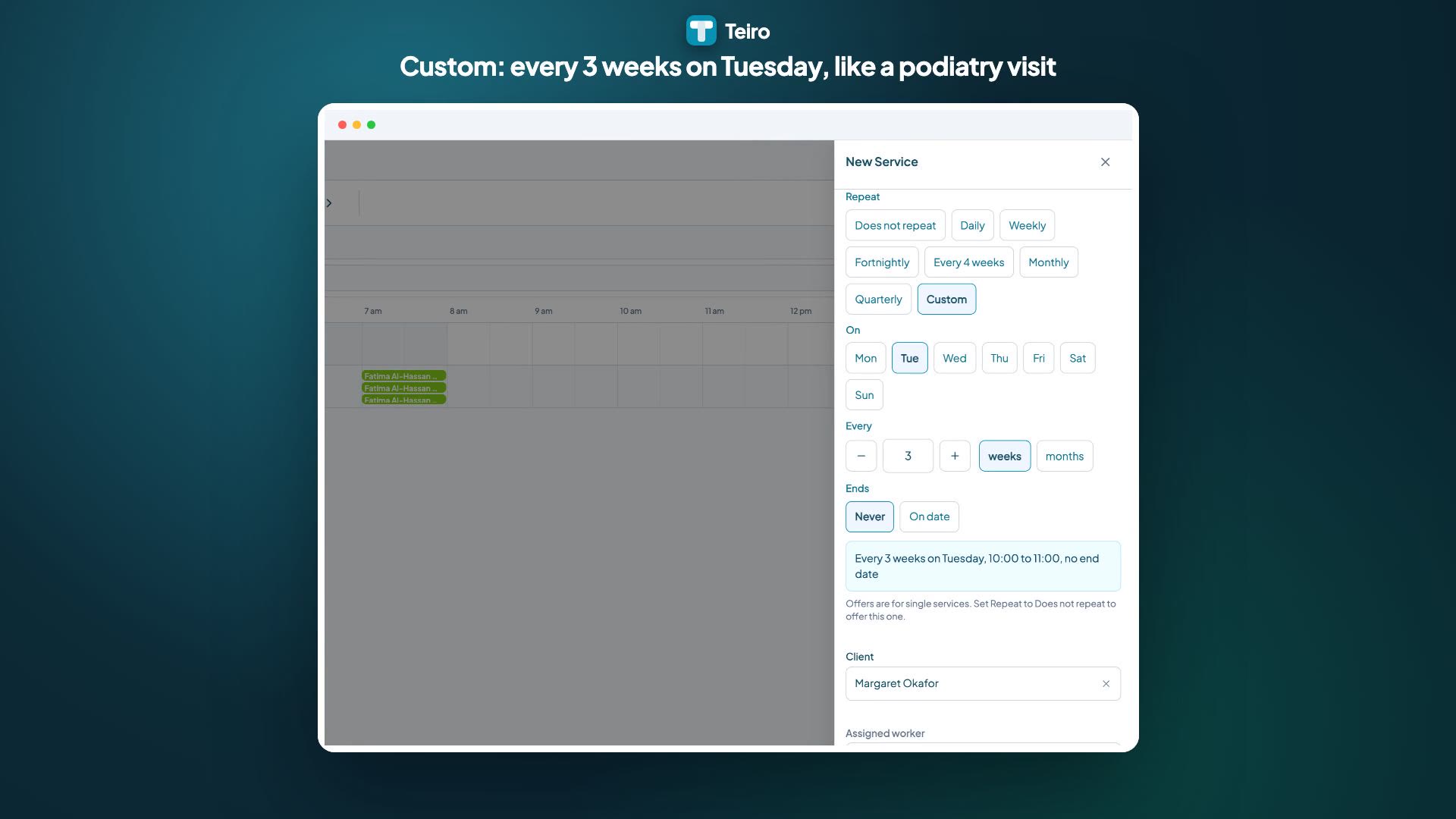 0:50
Watch
How to Repeat a Service Every 3 Weeks, Every 6 Weeks or Quarterly in Teiro
How a care coordinator sets a recurring service that does not fit weekly or fortnightly: every 3 weeks for a podiatry visit, every 6 weeks for gardening, or every 3 months on the 2nd Tuesday for home maintenance, saved once as a series on the schedule.
Watch the walkthrough
The Repeat options
- Does not repeat creates a single service.
- Daily repeats every day.
- Weekly repeats on the days you tick.
- Fortnightly repeats every second week on the days you tick.
- Every 4 weeks repeats every four weeks on the days you tick.
- Monthly repeats once a month, either on the date or on a weekday such as the 2nd Tuesday.
- Quarterly repeats every 3 months, with the same date or weekday choices as Monthly.
- Custom repeats every number of weeks or months that you choose.
Set a service that repeats every 3 weeks
- 1.Tap the green + on the board, then Service.
- 2.Set the Date, Start time and End time. The date is the first service in the series.
- 3.Under Repeat, choose Custom.
- 4.Under On, tick the weekday the service happens.
- 5.Under Every, set the number with the + and - buttons, then choose weeks. It starts at 3. You can go up to 52 weeks.
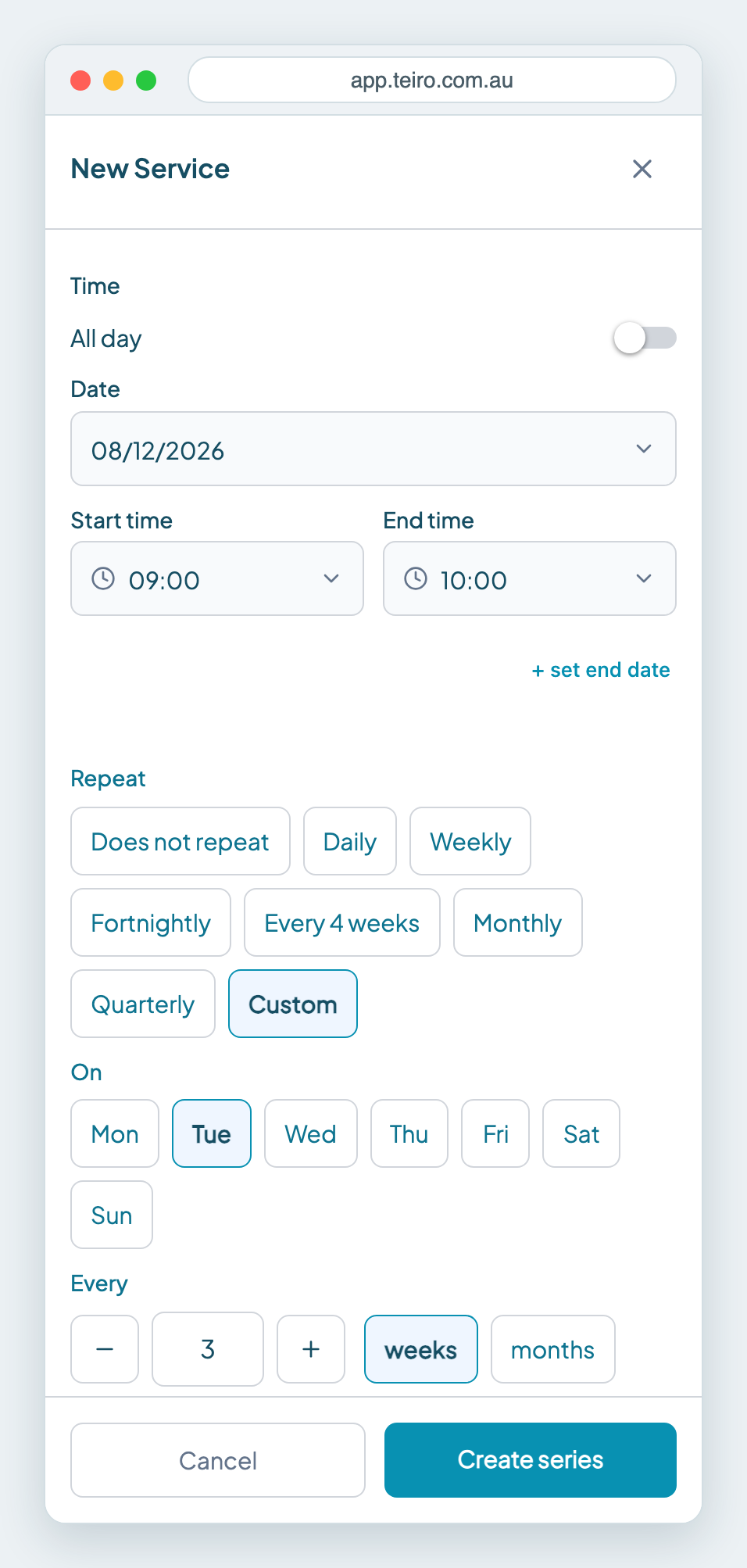
- 1.Under Ends, choose Never for an ongoing arrangement, or On date and pick the last day.
- 2.Check the sentence that appears, such as "Every 3 weeks on Tuesday, 9:00 to 10:00, no end date". It says exactly what you are about to create.
- 3.Choose the client, worker and category, then tap Create series.
For every 6 weeks, set Every to 6 and weeks.
Repeat monthly or quarterly
Choose Monthly or Quarterly and Teiro offers two ways to pick the day, based on the date you set for the first service:
- On the date, for example "On the 8th".
- On a weekday, for example "On the 2nd Tuesday". Teiro works out the position from your first date, so start the series on the 2nd Tuesday of a month to repeat on the 2nd Tuesday.
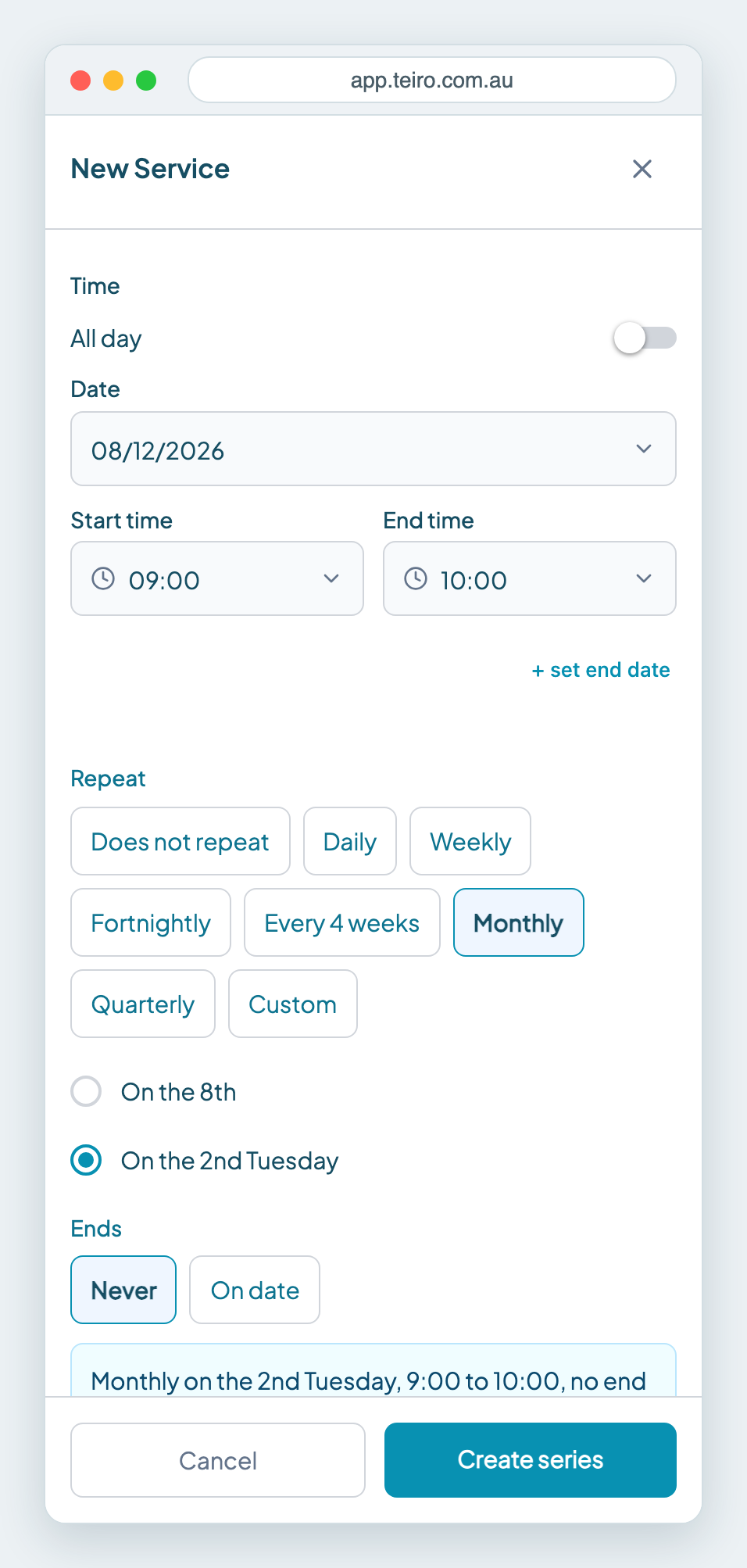
Quarterly is every 3 months, so a quarterly home maintenance visit on the 2nd Tuesday uses Quarterly and On the 2nd Tuesday.
For a longer gap, such as every 6 months, choose Custom, choose months and set Every to 6. You can go up to 24 months, and you pick the date or weekday the same way.
What happens on the 29th, 30th and 31st?
Not every month has a 29th, 30th or 31st. If you start a monthly or quarterly series on one of those dates, Teiro labels the choice so you can see what it will do:
- On the 31st, or the last day in shorter months
- On the 29th, or the last day in February (and the same for the 30th)
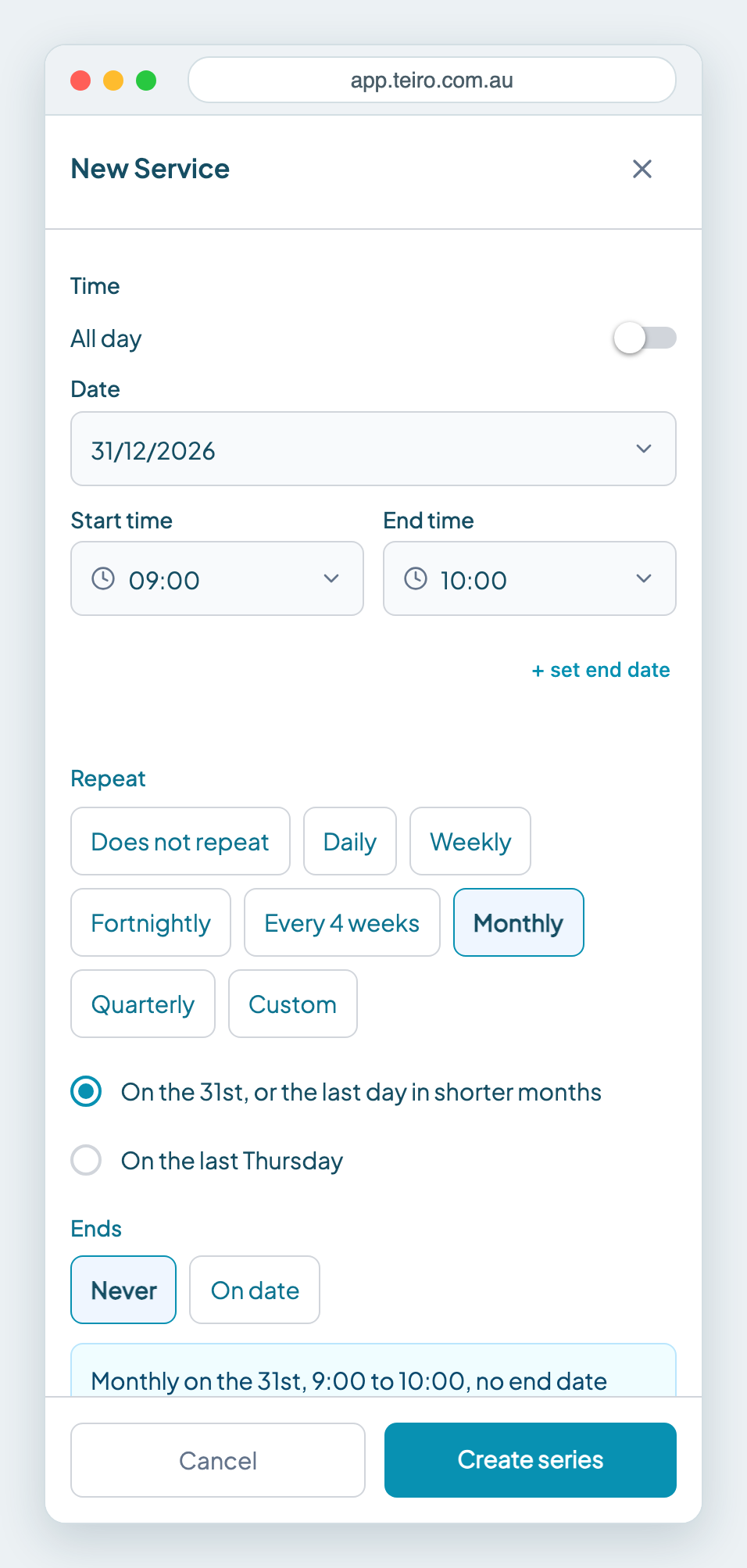
Choose that option and the service falls on the last day of any month that is too short. If you would rather avoid the question, choose the weekday option, such as On the last Thursday.
Change or stop the series later
- To change one visit or every future visit, see Managing recurring jobs.
- To cancel one visit, or end the series, use Manage series. See How to cancel or delete a service in Teiro.
A repeating service cannot be offered to your team from the form, because offers are for single services. Set Repeat to Does not repeat if you want to offer it.
Frequently asked questions
Can I repeat a service every 3 weeks? Yes. Choose Custom under Repeat, tick the weekday, set Every to 3 and choose weeks.
Can I repeat a service monthly on the 2nd Tuesday? Yes. Set the first service on a 2nd Tuesday, choose Monthly, then choose On the 2nd Tuesday.
How do I repeat a service every 3 months? Choose Quarterly, which repeats every 3 months. Use Custom with months if you need a different gap, such as every 6 months.
What if the date is the 31st? Teiro offers On the 31st, or the last day in shorter months. Choose it and the service falls on the last day of any month that is too short.
Next steps
Ready to see this against your own roster? Book a call or start free for up to five active users.
Related articles
Managing recurring jobs
Set Repeat in the New Service form to create a daily, weekly, fortnightly or monthly series. This covers editing one visit or the whole series, and cancelling or removing a repeating service.
How to Cancel or Delete a Service in Teiro
How to delete a service you set up on repeat, cancel a single visit, or move a service to a new time. Cancel and Remove do different jobs, and this page shows which to use.
Using the Scheduler Board
The board shows each carer as a lane and each service as a block. Switch between Day and Week, drag a service to another carer and clear the Unassigned lane.
Add tasks to a service and to repeating services
Add tasks while you create a service, put a task on every visit of a repeating service, and choose whether an edit changes one visit or all future visits. Past visits never change.