
Add tasks to a service and to repeating services
Last updated
Add tasks while you create a service, put a task on every visit of a repeating service, and choose whether an edit changes one visit or all future visits. Past visits never change.
Can I add tasks when I create a service?
Yes. The New Service form has a tasks section, so you can add tasks to a service as you create it, without saving it first. Tasks are saved together with the service when you save. On a repeating service, a task you add applies to every visit in the series.
This article is for admins, coordinators and schedulers. Carers see the tasks on their shift and answer them. See What carers see: support plan tasks on a shift.
Add a task while creating a service
- 1.Tap the green + on the board, then Service, and fill in the service.
- 2.Scroll to Tasks for this service. It says "Optional. Added to the service when you save it."
- 3.Tap Add task for this service.
- 4.Type the Task, up to 80 characters, for example "Check the water jug is full and offer a drink".
- 5.Add Instructions if the carer needs them, up to 280 characters.
- 6.Leave Required on if the carer is expected to answer the task. Carers are warned if it is still unanswered when they finish the service.
- 7.Tap Add task, then add more if you need them, and tap Save.
Add a task to a repeating service
Set Repeat to anything other than Does not repeat and the section changes to Tasks for every service, with the note "Tasks will be on every service in the series." The button reads Add task for every service.
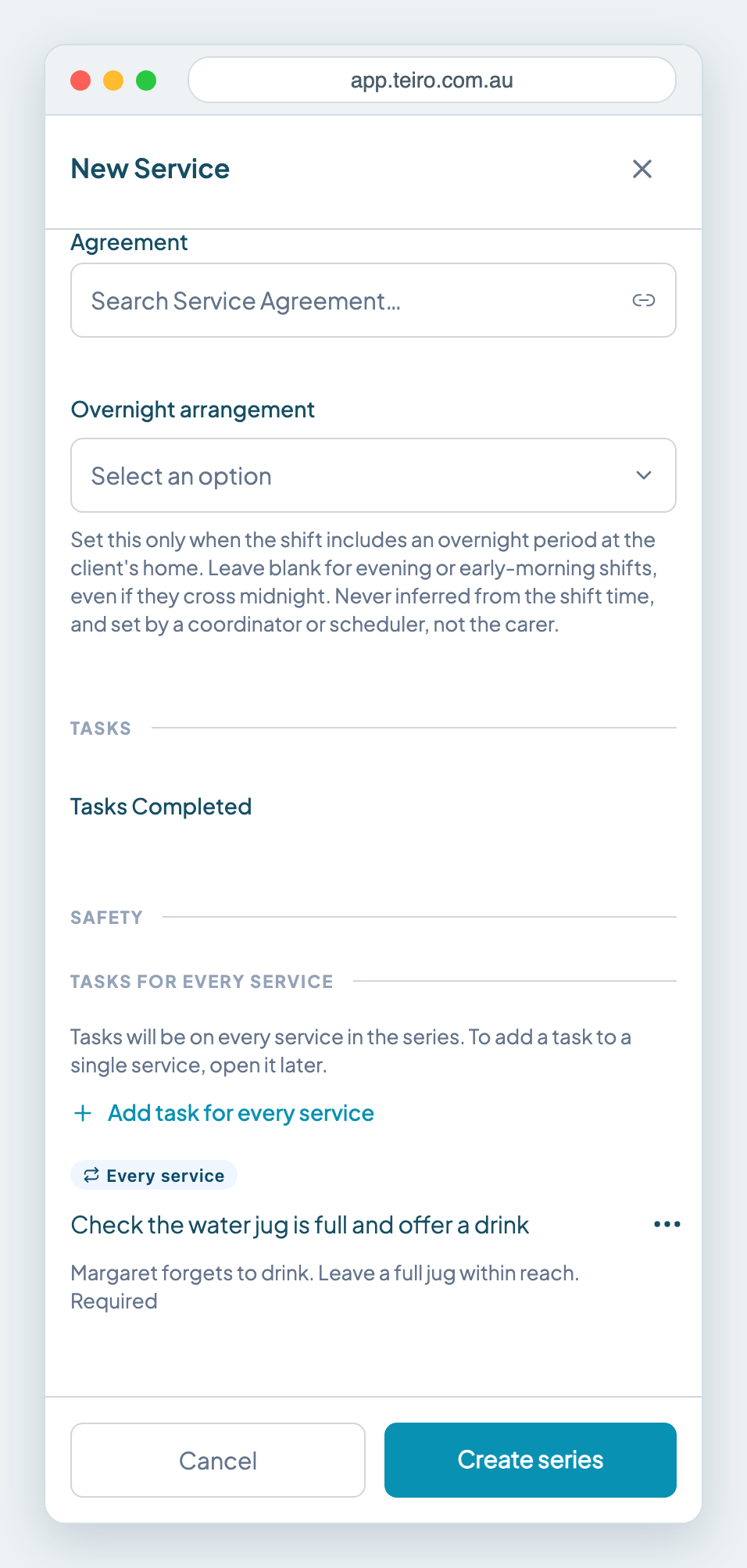
Add the task the same way, then tap Create series. Every visit in the series has the task.
How tasks are labelled
Open a service and the Care Tasks section tells you where each task comes from.
- Every service is a task on a repeating series.
- This service only is a one-off task on a single visit.
- From support plan is a task from the client's support plan. You change these in the support plan, not here.
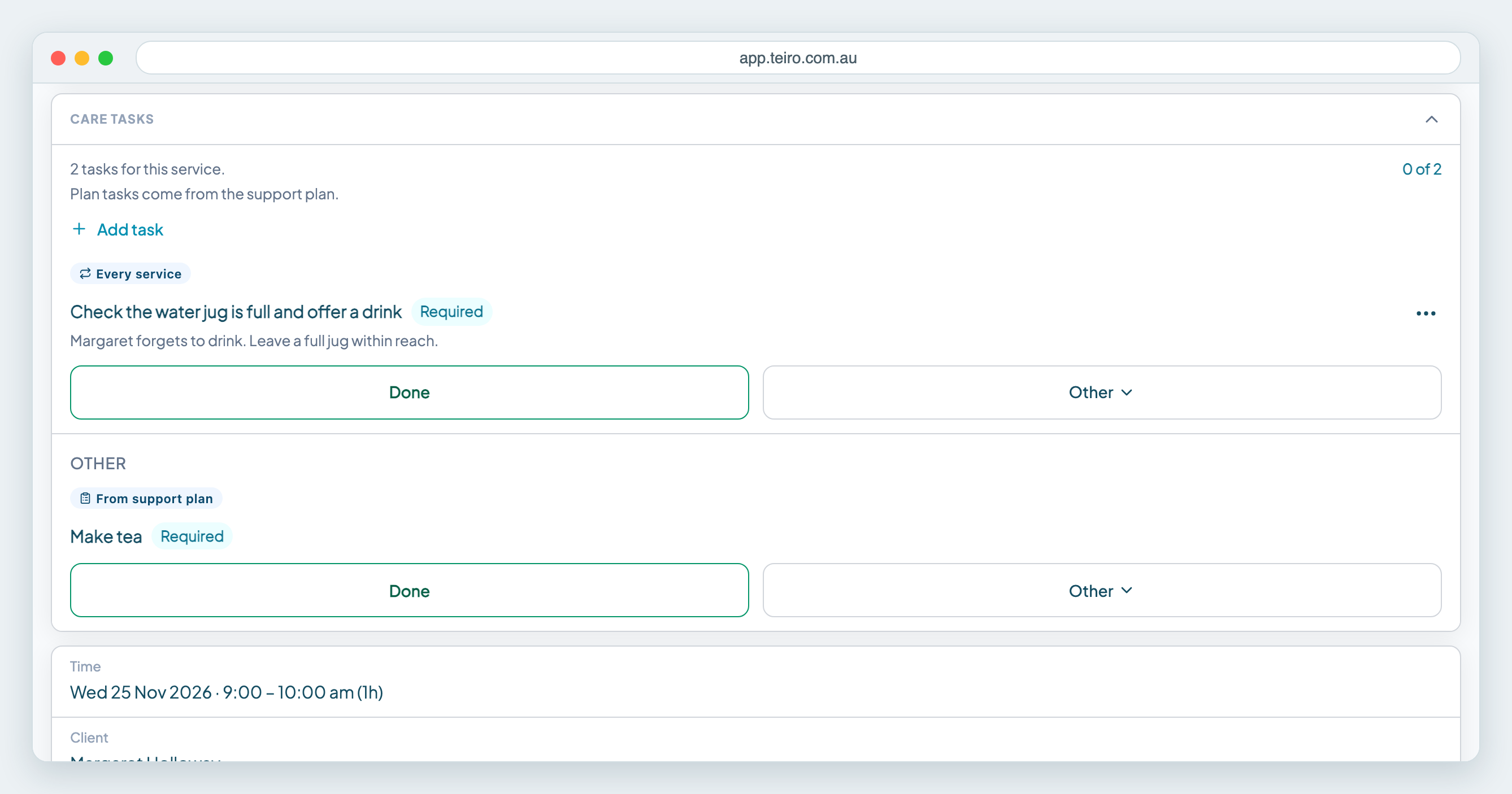
Change or remove a task on a repeating service
Open the service, tap "..." on the task and choose Edit task or Remove task. For a task that belongs to a series, Teiro asks which services you mean:
- This service only changes this visit and leaves the rest of the series alone.
- This and all future services changes this visit and every one after it.
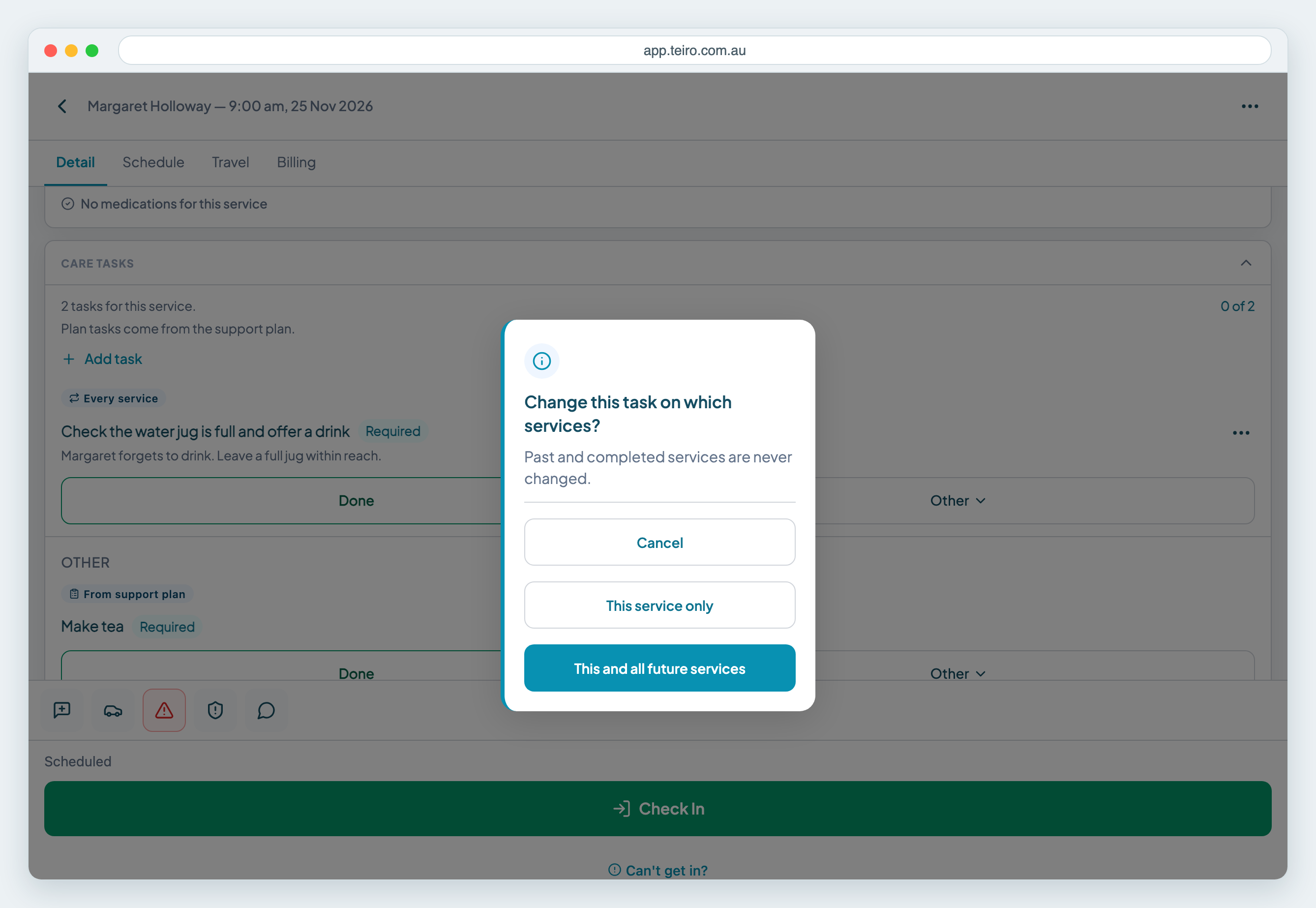
Past and completed services are never changed, whichever you choose. If a carer has already answered a task, it is locked and cannot be edited or removed.
Add a task to one visit in a series
Open that visit after the series exists and tap Add task. Teiro asks Add this task to which services? Choose This service only to add it to this visit, or This and all future services to add it to every visit from here.
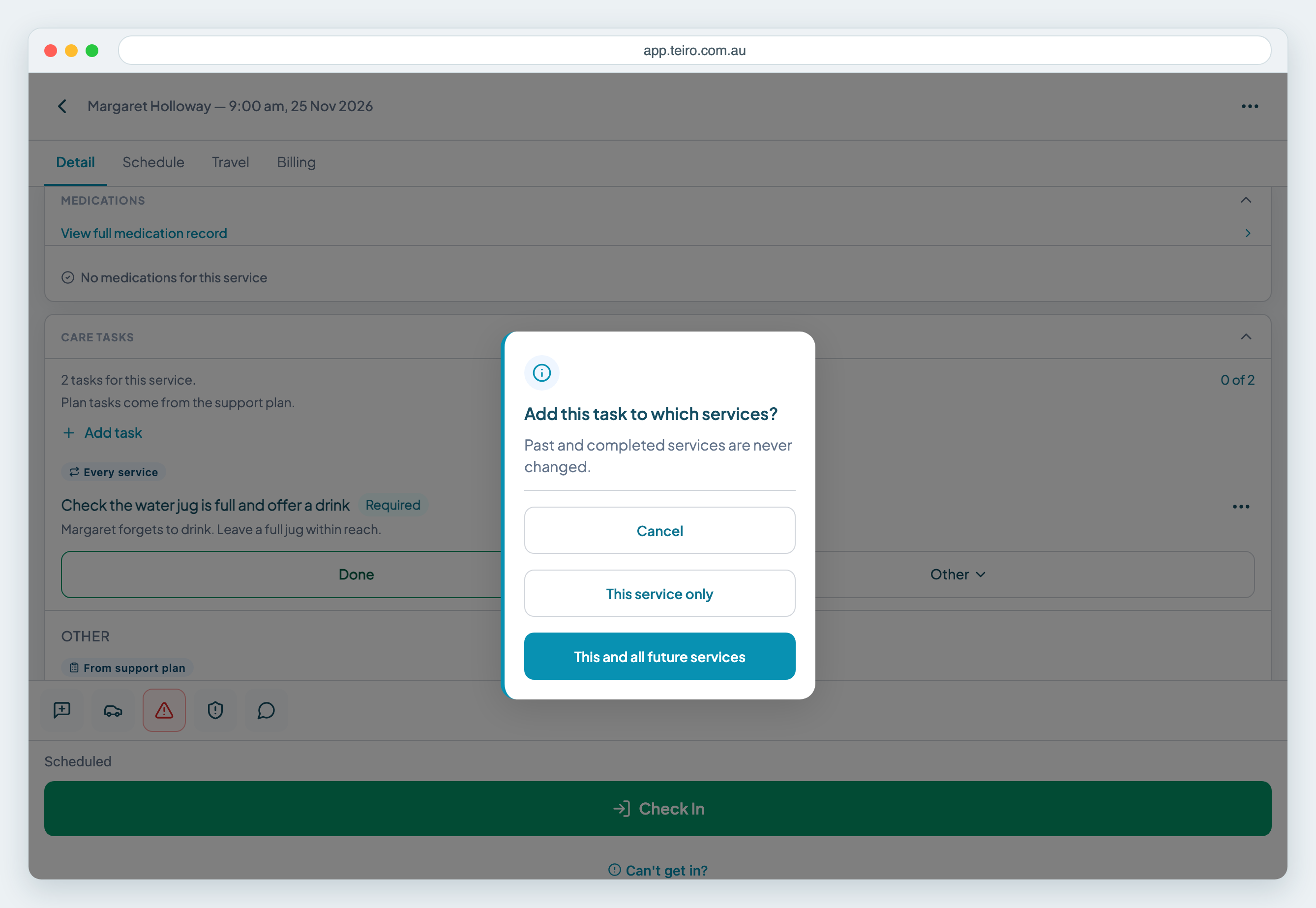
A task added to a single visit is tagged This service only. See Add a one-off task to a single service for more on one-off tasks.
Frequently asked questions
Can I add tasks while creating a service? Yes. The New Service form has a tasks section. Tasks are saved with the service when you save it, so you do not need to save the service first.
What does Every service mean on a task? The task is on every service in the repeating series, not only one visit.
Will changing a task alter visits that already happened? No. Past and completed services are never changed, whichever option you choose.
How do I add a task to just one visit in a series? Open that visit, tap Add task and choose This service only when Teiro asks which services get it.
Next steps
- Add a one-off task to a single service
- Repeat a service every 3 weeks, monthly or quarterly
- Managing support plans
Ready to see this with your own clients? Book a call or start free.
Related articles
Add a one-off task to a single service
Add a task to one service only, for example "Check the side gate is locked". Carers see it on that service alongside the support plan tasks. Covers adding, editing, removing and recurring services.
Managing recurring jobs
Set Repeat in the New Service form to create a daily, weekly, fortnightly or monthly series. This covers editing one visit or the whole series, and cancelling or removing a repeating service.
Managing support plans
Create a support plan for a customer, write what matters to them, add the tasks carers should do, record who agreed to it, and make it current. Covers versions, reviews, carer read receipts and PDF export.
Support plan tasks on a shift
What a support worker sees from the customer's support plan on each shift, how to answer tasks with Done, Partly done, Declined by client, Not done or Not applicable today, and how to confirm you have read the plan.