
Bill a lead provider for services you deliver
Last updated
If you deliver services under another provider, record their name and reference on each client, then run the Delivered services report, filter to that lead provider and export the rows to invoice from your accounting tool.
How do I bill a lead provider?
If you are an associate provider, you deliver services under another provider (the lead provider) and send them an invoice for the work. Teiro does not create the invoice. It gives you the list of what you delivered, with the client, the lead provider's reference, the hours and the worker, so you can invoice from your accounting tool.
There are three steps: record the lead provider on each client, run the Delivered services report for the period, and export it.
Watch the walkthrough
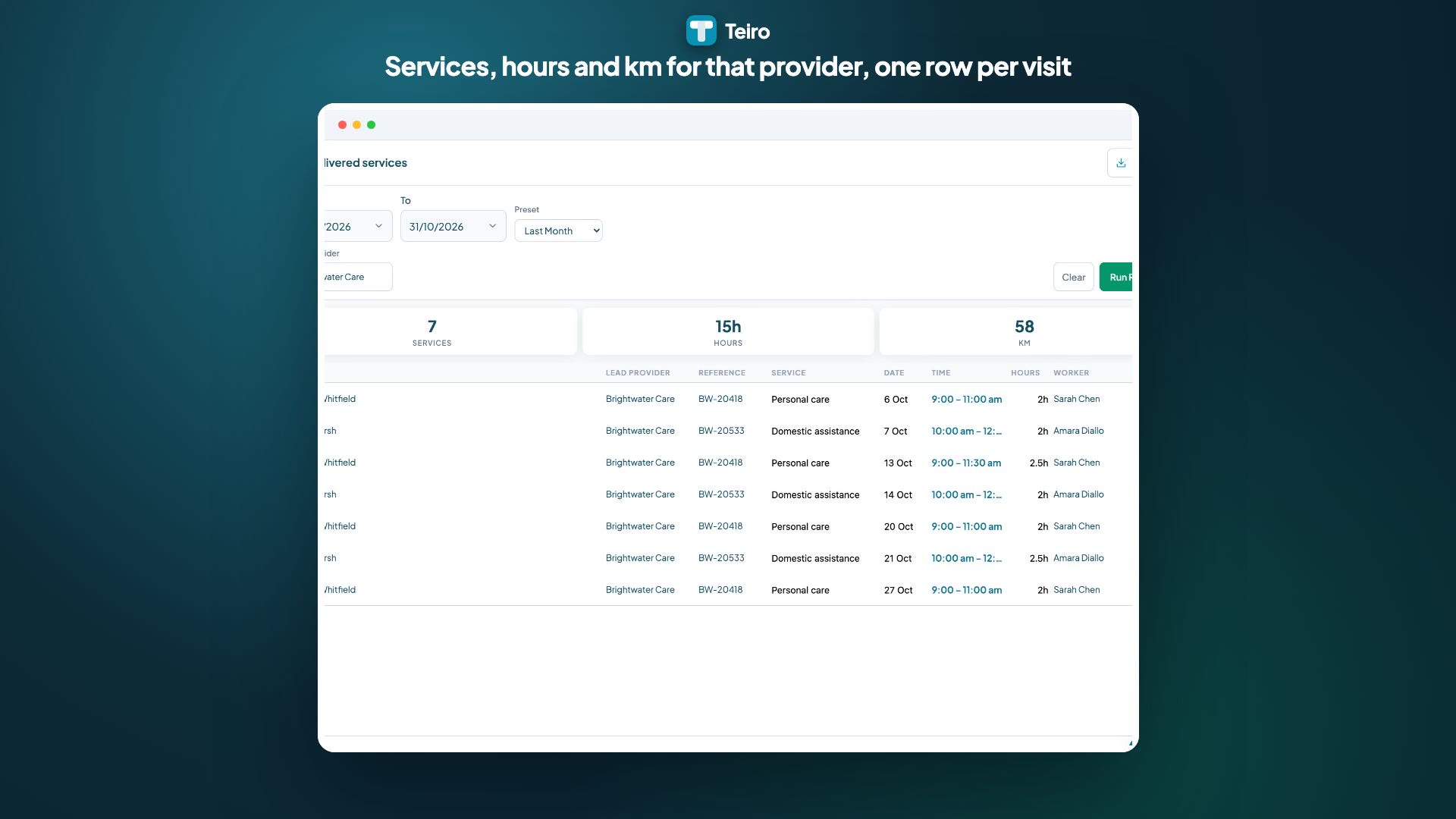 1:01
Watch
How to Bill a Lead Provider for Services You Deliver in Teiro
How an associate provider invoices a lead provider: record the lead provider and their reference on each client, then run the Delivered services report for last month, filter to that provider and export the rows to CSV to invoice from your accounting tool.
Watch the walkthrough
Step 1: Record the lead provider on the client
- 1.Open the client and stay on the Detail tab.
- 2.Tap Edit record.
- 3.Scroll to Funding.
- 4.Enter the Lead provider, for example "Harbourlight Care". Teiro describes it as the provider you deliver services under, if you are an associate provider.
- 5.Enter the Lead provider reference. This is their reference for this client.
- 6.Tap Save.
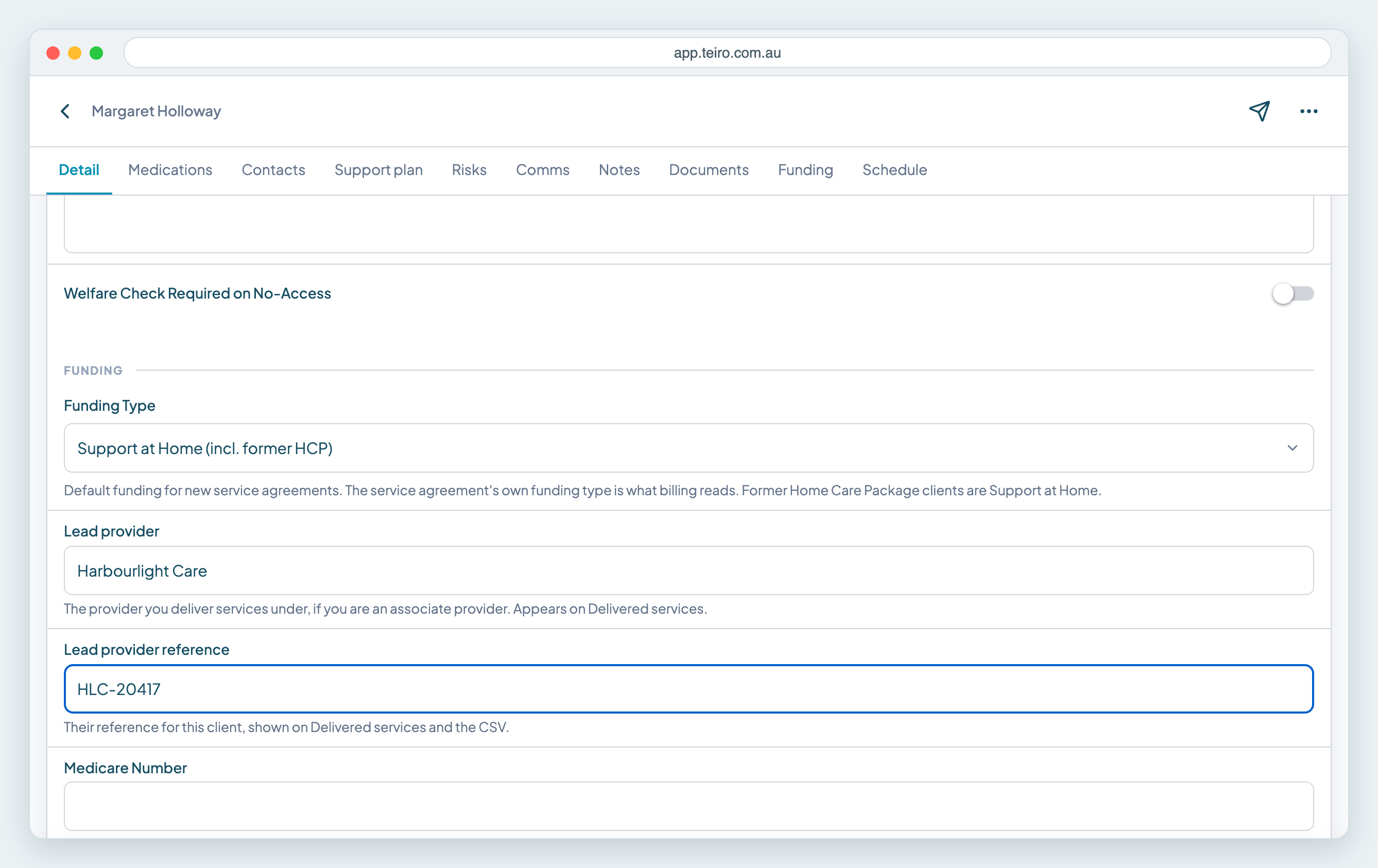
Type the lead provider's name the same way for every client you deliver for them. The report filter matches the name you type, so "Harbourlight Care" on one client and "Harbourlight" on another will not group together.
Step 2: Run the Delivered services report
- 1.Open your profile menu and choose Reports, then Delivered services.
- 2.Set the From and To dates, or pick a Preset such as Last Month.
- 3.Type the lead provider in Lead provider. Leave it blank to see every client.
- 4.Tap Run Report.
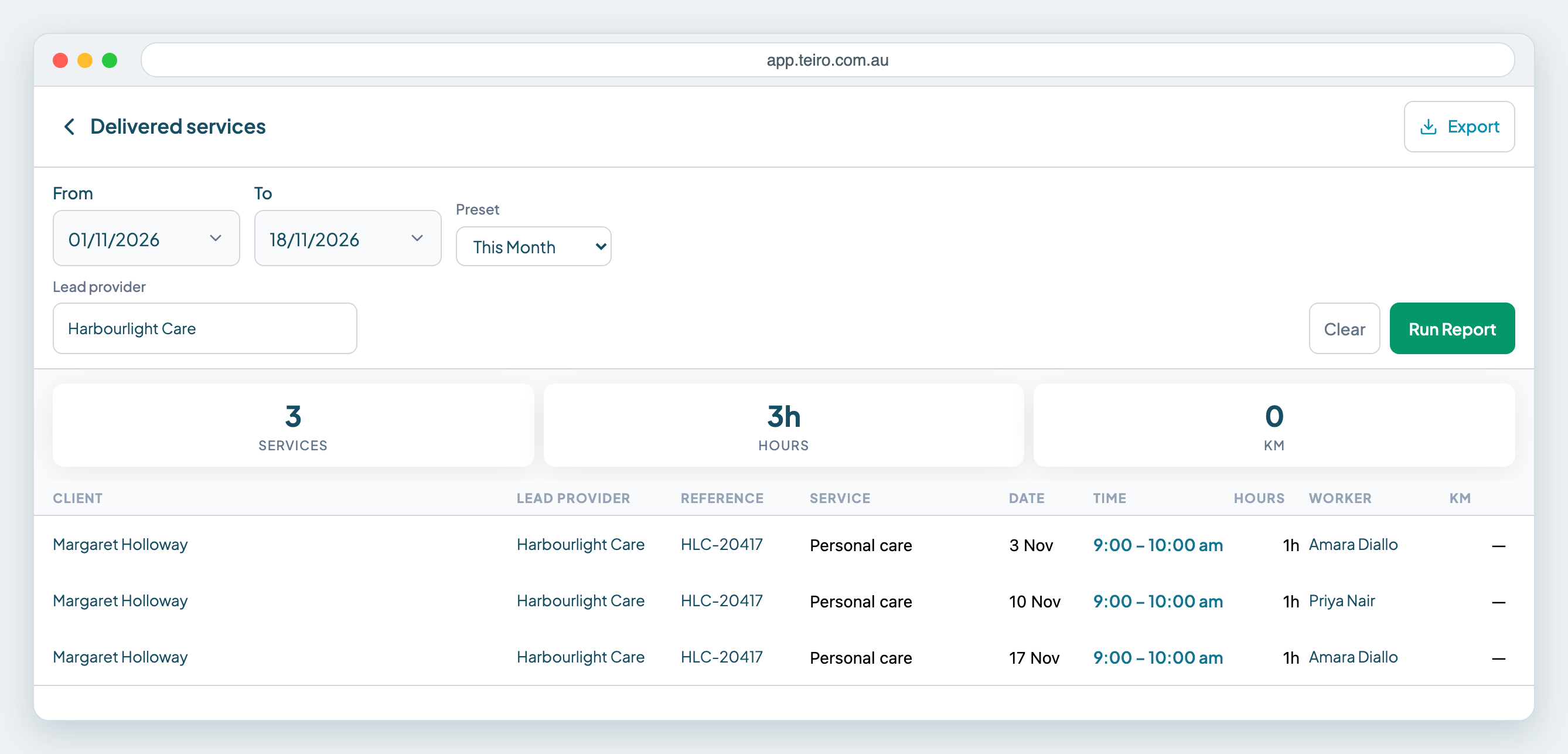
You get one row per delivered service, with the totals for services, hours and km at the top. The times are the hours the worker actually recorded when there are any, and the scheduled times when there are none. Cancelled services, and services that were deleted or archived, are left out.
Step 3: Export the rows
- 1.Tap Export.
- 2.Choose CSV, XLSX or PDF. CSV opens in any spreadsheet.
- 3.Check the date range and the Lead provider filter shown in the dialog.
- 4.Tap Export CSV.
The CSV has the columns Client, Lead provider, Lead provider reference, Service type, Date, Start, Finish, Hours, Worker and Km. Use it to build the invoice in Xero, MYOB or whichever tool you use. Teiro does not hold rates or send invoices, so the dollar amounts come from your agreement with the lead provider. Teiro limits how many exports you can run each day, and the export dialog shows how many are left.
Frequently asked questions
Where do I record the lead provider in Teiro? On the client, in the Funding section of the Detail tab. Tap Edit record, then fill in Lead provider and Lead provider reference.
Can I bill several lead providers from one report? Run the report once per lead provider, using the Lead provider filter, and export each one. Leave the filter blank to export every client in one file.
Does the report include cancelled services? No. It lists delivered services only.
Does Teiro send the invoice to the lead provider? No. Teiro gives you the delivered services to export. You create and send the invoice from your accounting tool.
Next steps
- Export a report to CSV, Excel or PDF
- Report date ranges: last week, this month
- Export travel logs and check worker mileage
Ready to see this with your own clients? Book a call or start free.
Related articles
Export a Report to CSV, Excel or PDF
How to turn a Teiro report into a CSV, Excel or PDF file, with your filters and date range applied, and what the row limits and daily limit mean.
Choose a Date Range That Moves: Last Week, Last Month, Financial Year to Date
Use moving date ranges in Teiro exports and report rules so "last month" always means the month just gone, not the dates you picked once.
Export Travel Logs to Check Worker Mileage
Export last month's travel log from Teiro and check it against worker invoices before you pay kilometres.